Estate Planning Spreadsheet Template Free: Build in Excel
Build an estate planning spreadsheet template in Excel for free: a checklist with statuses, a people sheet and a dashboard of what is missing.
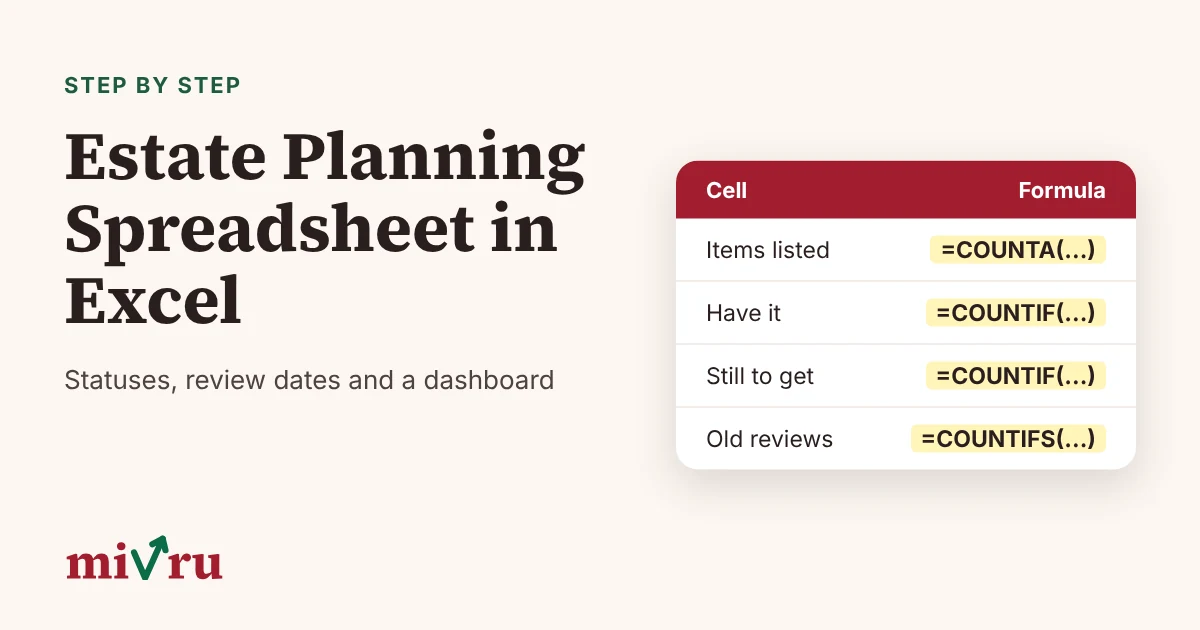
An estate planning spreadsheet template in Excel is a simple way to see what you have, what is missing and what is overdue for a review. It organizes information; it is not legal advice, and a lawyer can help with wills, trusts and powers of attorney in your state. This guide builds a small version in about 45 minutes.
The sample data is made up and comes from our estate planning organizer example. For what to list, start with the estate planning checklist template guide.
What you will build
- A Checklist sheet with Item, Type, Kept where, Status, Last reviewed and Notes.
- A People sheet with Name, Role, Phone and Notes.
- A Lists sheet for the drop-downs.
- A Dashboard sheet that counts by status and flags old reviews.
Step 1: Lists
On a sheet named Lists, type the item types in A2:A11 (Will and trust, Power of attorney, Health care wishes, Insurance, Bank and savings, Retirement and pensions, Property and vehicles, Debts, Digital accounts, Other). Put the places in B2:B8 and the statuses in C2:C5: Have it, Need to get, Needs update, Not needed.
Step 2: The Checklist sheet
On Checklist type these headings in row 1: Item, Type, Kept where, Status, Last reviewed, Notes. Add a few made-up rows, for example Will, Will and trust, With my lawyer, Have it, 5/12/2023 and Durable power of attorney (money), Power of attorney, Fireproof box, Need to get.
Step 3: Drop-downs
Select B2:B300, choose Data > Data Validation, set Allow to List and Source to =Lists!$A$2:$A$11. Repeat for Kept where (=Lists!$B$2:$B$8) and Status (=Lists!$C$2:$C$5). Microsoft explains the dialog on its page about applying data validation to cells. Exact words matter because the counts below match text.
Step 4: Dashboard counts
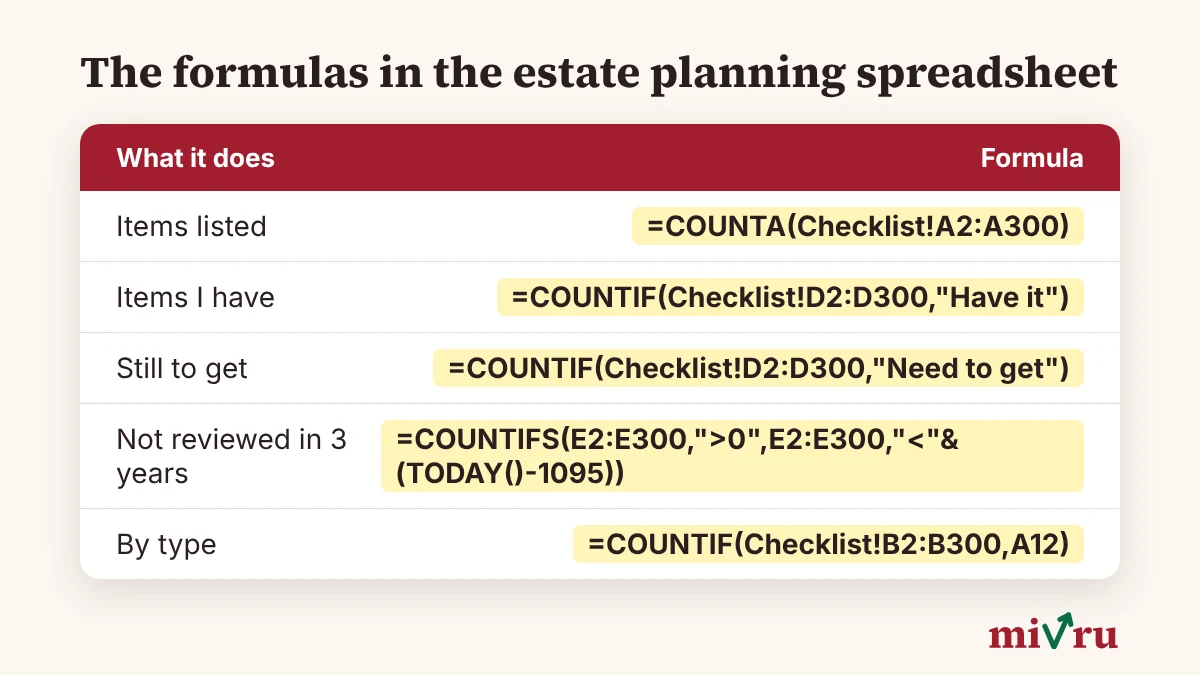
On Dashboard, put labels in A and formulas in B:
| Label | Formula |
|---|---|
| Items listed | =COUNTA(Checklist!A2:A300) |
| Items I have | =COUNTIF(Checklist!D2:D300,"Have it") |
| Still to get | =COUNTIF(Checklist!D2:D300,"Need to get") |
| Need an update | =COUNTIF(Checklist!D2:D300,"Needs update") |
| Not reviewed in 3 years | =COUNTIFS(Checklist!E2:E300,">0",Checklist!E2:E300,"<"&(TODAY()-1095)) |
Microsoft's COUNTIF page explains the criteria, and the TODAY function returns today's date, so the last count updates daily. 1,095 days is three years.
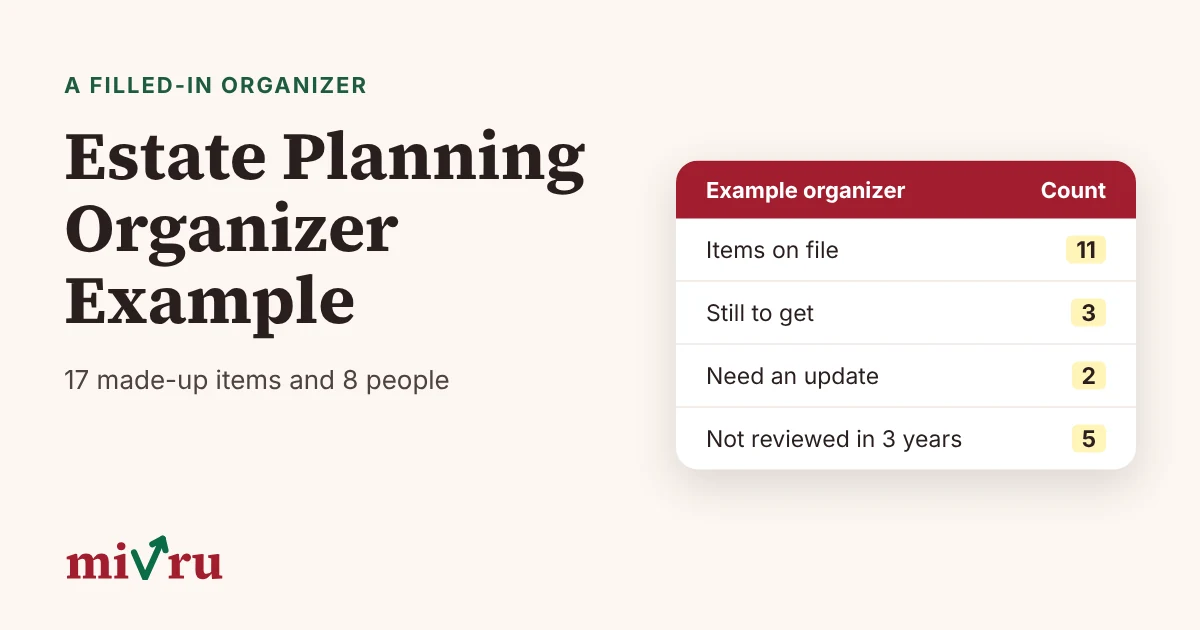
Example: With the made-up data, the dashboard shows 17 items, 11 on file, 3 still to get, 2 needing an update and 5 not reviewed in 3 years on October 23, 2026.
Step 5: Color the statuses
Select D2:D300, choose Home > Conditional Formatting > New Rule > Use a formula and enter =D2="Need to get" with a red fill. Add =D2="Needs update" with orange and =D2="Have it" with green. Microsoft's page on conditional formatting walks through the dialog.
Step 6: Count by type and place
List each type in a column and use =COUNTIF(Checklist!$B$2:$B$300,A12) beside it. Do the same for places. In the example, seven of the 17 items are in the file cabinet, which tells you where your people should look first.
Step 7: The People sheet
Add the roles on a second sheet: executor, backup, power of attorney, health care agent, guardian for children, lawyer, accountant and adviser. The Consumer Financial Protection Bureau says to choose someone you trust and make sure they know your wishes when you name an agent, so add a Notes column to record that you have talked to each person.
Keep it private
A spreadsheet with this much detail should be protected. Keep it in a private folder, consider File > Info > Protect Workbook > Encrypt with Password, and tell the person in charge how to open it. Do not type account numbers or passwords in it. Our guide on why a password log book is risky explains how to handle passwords instead.
Related guides
For the rest of your household papers, see the household binder in Excel guide, and for accounts the password log in Excel. To use Google Sheets, read the estate planning spreadsheet in Google Sheets. This is general information, not legal advice.
The dashboard counts in one table
| Count | Value in the made-up example (Oct 23, 2026) |
|---|---|
| Items | 17 |
| On file | 11 |
| Still to get | 3 |
| Needing an update | 2 |
| Not reviewed in 3 years | 5 |
These counts come from COUNTIF over the status column and a comparison of the last-reviewed date with today's date.
If something does not work
- A count is zero. Check that the status words in the sheet match the formula exactly.
- The not-reviewed count is wrong. Check that the dates are real dates, not text.
- A drop-down is missing. Select the cells and check Data > Data Validation.
- A color rule does not appear. Select the range again and check that the rule uses the first row.
Keep it private
The sheet says where your papers are kept, which is useful to family and not to strangers. Save it in a private folder, and tell the person who will need it where to find it. Do not put account numbers, passwords or Social Security numbers in it. Write where they are kept instead. This template organizes information. It is not legal advice, and a lawyer can help with wills, trusts and powers of attorney.
Telling the right person
Once the sheet is ready, show the person who is in charge where it is saved, and what the colors mean. A sheet nobody knows about cannot help.
Skip the build
The Mivru Estate Planning Organizer & Checklist has all of this ready: the checklist, the people sheet, drop-downs, a dashboard, five color themes and an 11-page printable. See the Estate Planning Organizer & Checklist.
Frequently asked questions
Can I build an estate planning spreadsheet in Excel?
Yes. A checklist sheet with a status drop-down and a review date, a people sheet and a few COUNTIF formulas give you a dashboard of what is missing. It organizes information and is not legal advice.
Which formulas do I need?
COUNTA for items listed, COUNTIF for each status and COUNTIFS with TODAY for items not reviewed in three years.
How do I make a drop-down list in Excel?
Select the cells, choose Data > Data Validation, set Allow to List and point Source at the cells with your list items.
Should I put account numbers in the spreadsheet?
No. Record where things are kept and the last 4 digits at most. Keep passwords in a password manager.
Is there a ready-made version?
Yes. The Mivru Estate Planning Organizer & Checklist has the sheets, drop-downs and dashboard built in, in five color themes, plus an 11-page printable.