 Launch price
Excel · Google Sheets · Printable
Debt Payoff Tracker Spreadsheet & Printable
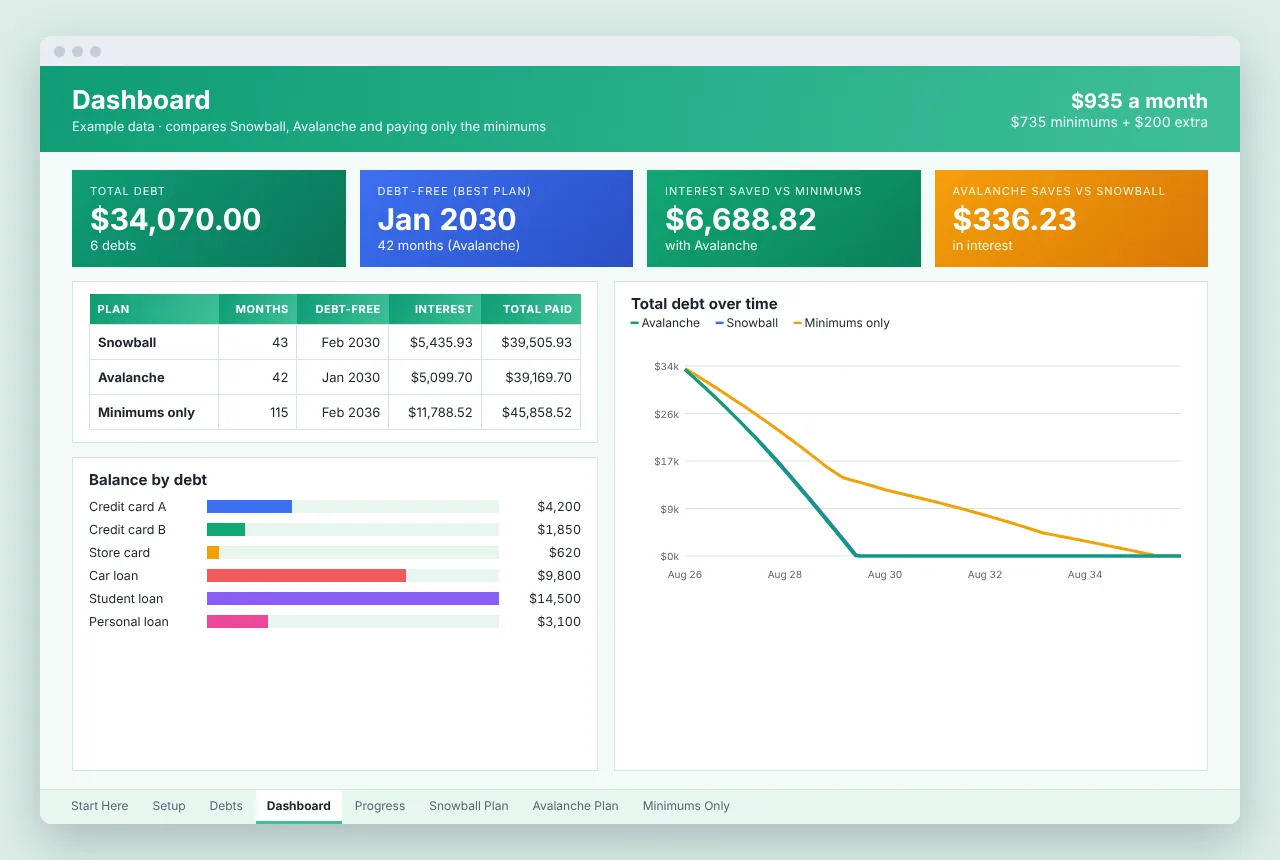
8 sheets in 5 colors: snowball + avalanche plans + 12-page printable. Excel & Google Sheets.
$13.90Regular price $22.90See details →

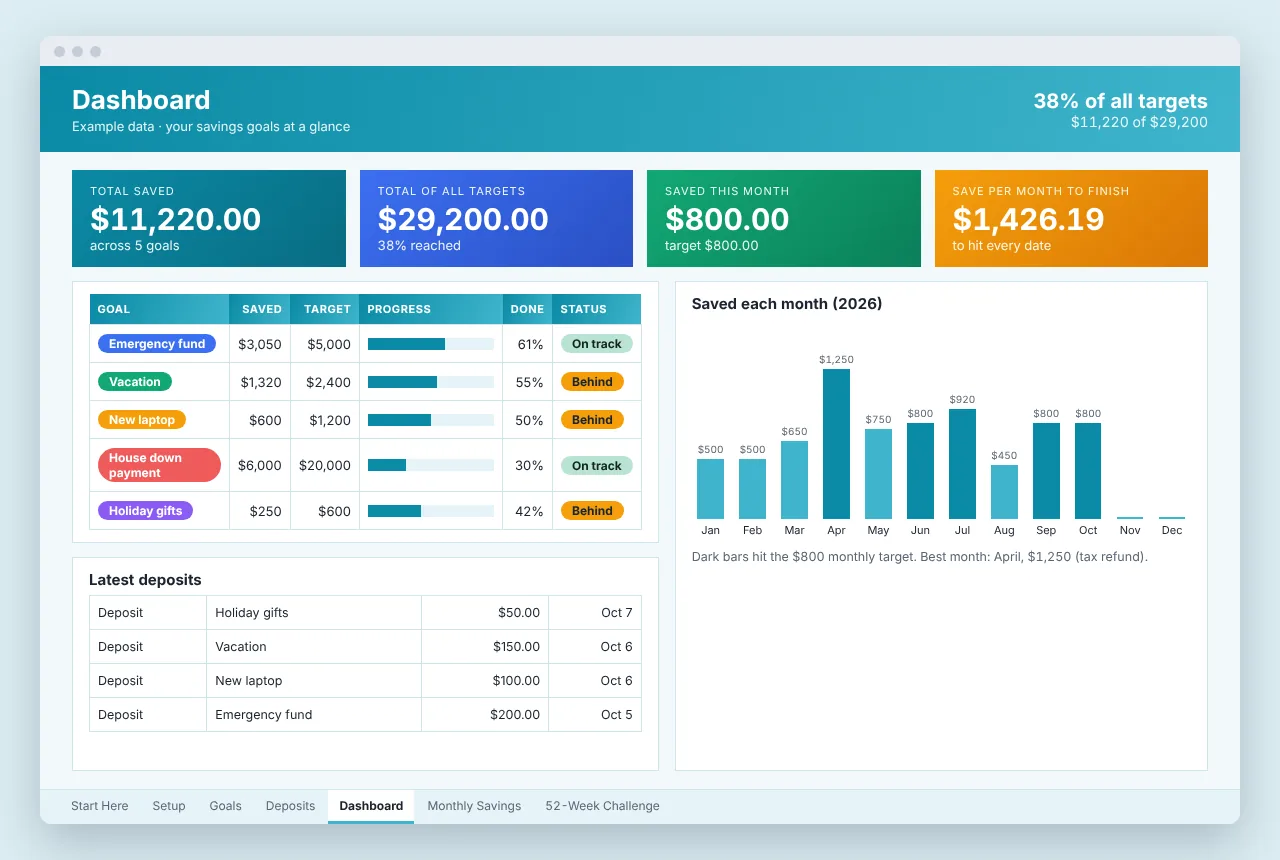
A savings tracker spreadsheet for every goal you are saving for. Log each deposit once and it shows the percent done, the months left and exactly how much to save each month to finish on time.
Your download appears on the next page. Bookmark it to come back anytime.
Download the Excel file, make your own copy in Google Sheets, or print the PDF.
Fill in your own numbers. Everything works on a phone, a laptop or on paper.
For personal use only. Please don’t resell, share or redistribute these files. Every file carries mivru.com in its footer.
Year, monthly target and where you keep money.
Up to 10 goals with target, dates and what you have saved.
One row each time you add or take out money.
Works out what to save each month to reach each goal.
Total saved, this month, progress bars and latest deposits.
A heat map of every goal by month, with your best month.
Tick off each week and the total updates.
Done, On track, Behind or Overdue for each goal.
Ocean, Sunset, Berry, Mint and dark Midnight.
Works in both. Google Sheets needs a free account.
Type in the yellow cells. Every formula is built in.
Color and black-and-white. Goals page, savings plan and 52-week page.
Saving works best when it is automatic. The U.S. Consumer Financial Protection Bureau suggests setting up automatic transfers right after payday so you pay yourself first. This tracker shows what arrived and whether you are on pace. It is a planning tool, not financial advice, and it does not include interest.
The spreadsheet has 7 sheets. Start Here explains how it works in five steps. On Setup you type the year, your savings target per month and the places you keep money. On Goals you list up to 10 goals: the name, the target amount, a start date, a target date and what you already have saved. Then you add one row on the Deposits sheet every time you put money in or take money out.
The tracker does the rest. For every goal it works out how much is saved, the percent done, how much is left, the months left until your date and how much to save each month to get there. A status shows if each goal is Done, On track, Behind or Overdue, so you know where to put the next dollar.
The Dashboard shows your total saved against all your targets, how much you saved this month, progress bars for each goal, a chart of saved versus target and your latest deposits. Monthly Savings is a color heat map of every goal by month. It adds up your total, compares each month with your target and shows your best month. The 52-Week Challenge is a tick-off table: save the week number in dollars, and the total updates as you tick.
The download has the same spreadsheet in five color themes: Ocean, Sunset, Berry, Mint and a dark Midnight version. It works in Microsoft Excel and in Google Sheets with a free Google account. You only type in the yellow cells; every formula is already built in. If you like paper, the 12-page printable planner comes in color and in black and white, with a goals page, a monthly savings plan, two years of savings trackers, a deposit log, a 52-week challenge page, progress bars, a save-more finder and a page for where your savings live.
Saving works best when it is automatic. The U.S. Consumer Financial Protection Bureau suggests setting up automatic transfers right after payday so you pay yourself first. This tracker shows what arrived and whether you are on pace. It is a planning tool, not financial advice, and it does not include interest.
It suits anyone saving for more than one thing: an emergency fund, a trip, a laptop, holiday gifts or a down payment. The 5 example goals and ten months of deposits are made up so you can see how it works; clear them and enter your own.
Not ready to buy? Start with the free printable Savings Goal Tracker.
Launch price8 sheets in 5 colors: snowball + avalanche plans + 12-page printable. Excel & Google Sheets.
 Launch price
17 tabs in 5 colors + 20-page printable planner. Excel & Google Sheets.
 Launch price
5 tabs in 5 colors + 12-page printable planner. Excel & Google Sheets.
Yes. Upload the .xlsx file to Google Drive and open it with Google Sheets, or open it in Microsoft Excel on a computer. The formulas and drop-downs work in both.
Go to the Deposits sheet, type the date and the amount in the next empty yellow row, and pick the goal and the type (Deposit or Withdrawal) from the drop-downs. Everything else updates on its own.
It is the amount left to save divided by the months left until the target date. If the date has passed, the whole amount left is shown.
No. The tracker adds up your deposits and withdrawals. If your account pays interest, add it to the log as a deposit.
On the Goals and Deposits sheets, select the yellow cells under the headings and press Delete. The example goals and deposits are the only things you need to remove.
An instant download: the spreadsheet in 5 color themes and the 12-page printable planner in color and black and white, plus access any time from My downloads with the email you used at checkout.