Household Binder in Google Sheets: Free Setup Guide
Build a free household binder in Google Sheets: contacts, documents with expiry dates, drop-downs and a dashboard. Share it with a partner.
A household binder in Google Sheets is free, works on your phone and lets two adults update the same list. It takes about 30 minutes to set up, and you can open it from the grocery store when you need an insurance number.
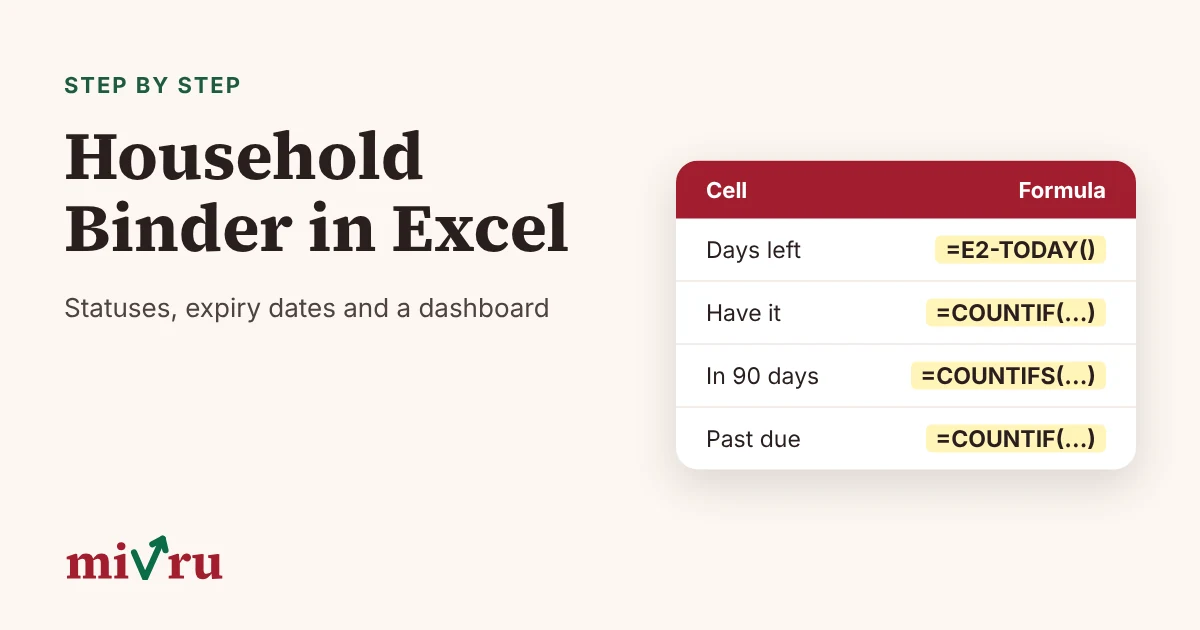
The formulas match Excel, so this guide is short. For a deeper explanation of each one, read the household binder in Excel guide. The data comes from our household binder example.
Step 1: Create the sheets
Open Google Sheets and start a blank spreadsheet. Rename the first tab Documents. Add tabs named Contacts, Lists and Dashboard.
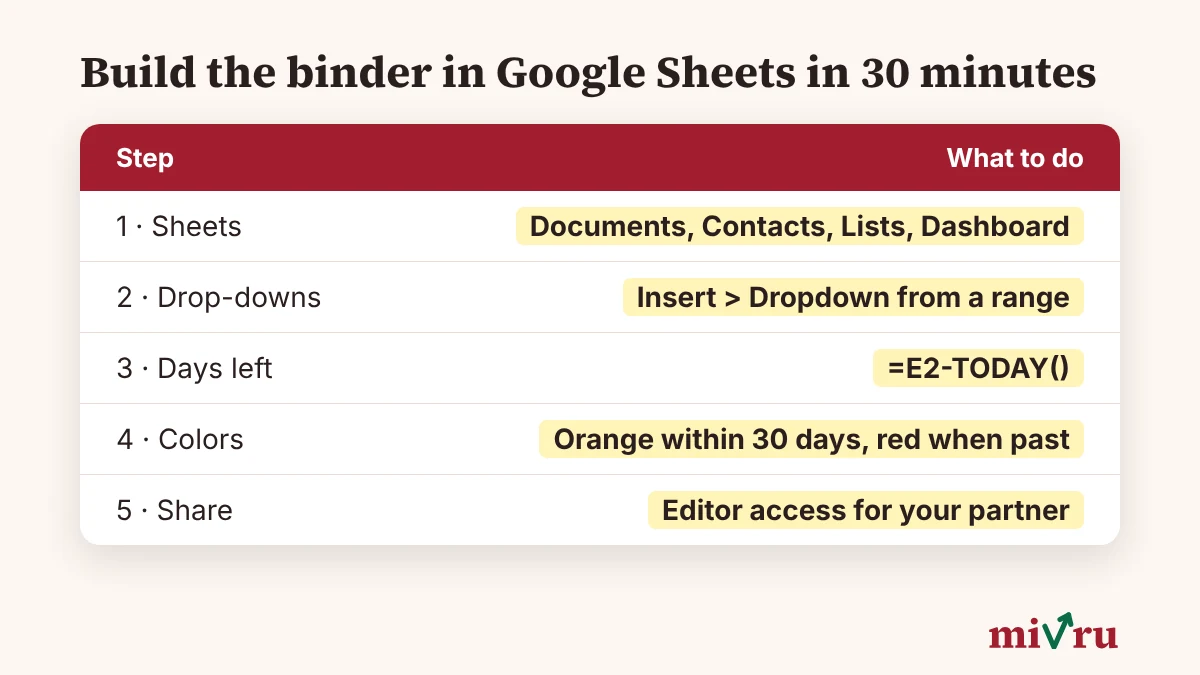
On Documents, type in row 1: Document, Type, Kept where, Status, Expires or renews, Days left. On Contacts: Name, Type, Phone, Notes. On Lists, put the document types in column A, the places in column B and the three statuses (Have it, Need to get, Needs update) in column C.
Step 2: Add drop-downs
Select the Type column on Documents, choose Insert > Dropdown, set the option to Dropdown (from a range) and enter Lists!A2:A9. Repeat for Kept where (Lists!B2:B7) and Status (Lists!C2:C4). Google's page on creating dropdown lists shows each step. You can give each option a color, so statuses stand out.
Step 3: Add example rows
Example: Vehicle registration, Vehicle, File cabinet, Have it, 11/20/2026. Will, Legal, With my lawyer, Needs update, 12/1/2026.
Step 4: Days left
In F2 enter =IF(E2="","",E2-TODAY()) and drag it down. Sheets recalculates TODAY() every time the file opens, so the number counts down by itself. On October 23, 2026, a registration due on November 20 shows 28.
Step 5: Highlight what is close
Select F2:F300 and choose Format > Conditional formatting. Under Format rules pick Custom formula is and enter =AND(ISNUMBER(F2),F2<=30). Choose an orange fill. Add a second rule with =AND(ISNUMBER(F2),F2<0) and a red fill. Google explains the dialog on its page about conditional formatting.
Step 6: The Dashboard
On Dashboard, add labels in column A and formulas in column B:
| Label | Formula |
|---|---|
| Documents listed | =COUNTA(Documents!A2:A300) |
| Documents I have | =COUNTIF(Documents!D2:D300,"Have it") |
| To get or update | =COUNTIF(Documents!D2:D300,"Need to get")+COUNTIF(Documents!D2:D300,"Needs update") |
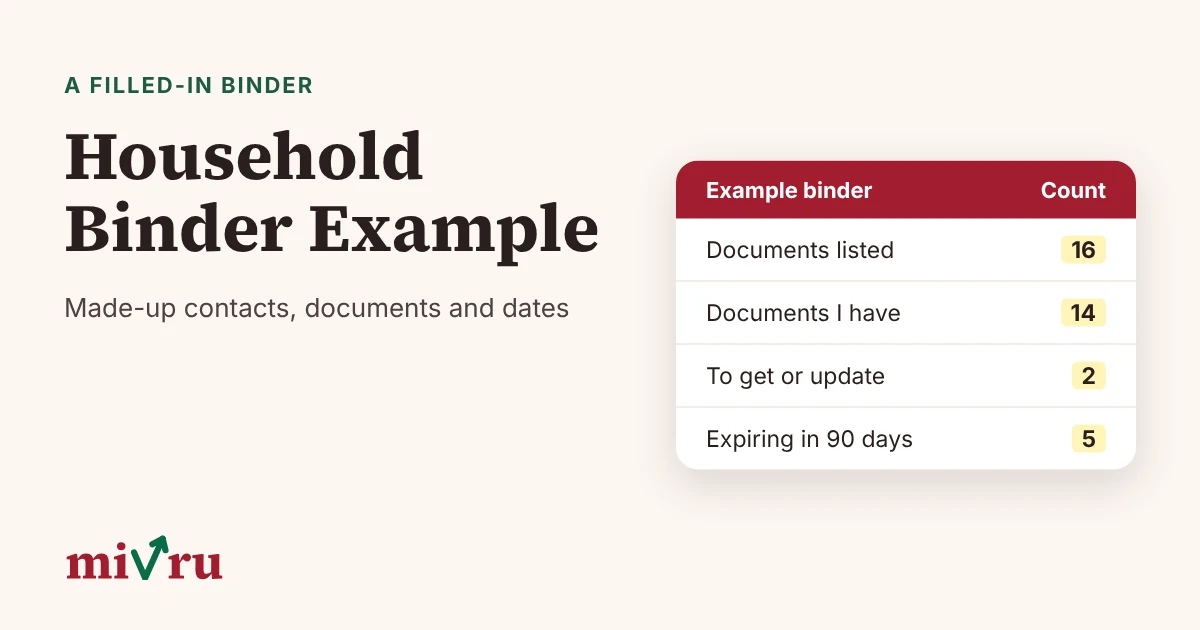
| Expiring in 90 days | =COUNTIFS(Documents!F2:F300,">=0",Documents!F2:F300,"<=90") |
Google's help page for COUNTIF shows how the criteria work. In the example binder the four numbers are 16, 14, 2 and 5.
For documents by type, list the types in column A and use =COUNTIF(Documents!$B$2:$B$300,A8) beside each.
Step 7: Share and use on a phone
Click Share and add your partner's email with the Editor role. Install the Google Sheets app on your phone, open the file and star it so it is easy to find. Add a home screen shortcut if your phone allows it.
Keep a paper copy of the basics
Phones die and Wi-Fi fails. Ready.gov's planning page says to know how you will contact one another and reconnect if separated, and its financial preparedness page suggests keeping important documents in places like a safety deposit box, an external drive or cloud storage. Print the contacts page and put it in a folder at home. Our free emergency contacts and key documents checklist is made for that.
Related guides
Get the thinking behind the sections in the household binder printables guide. For bills, see the bill tracker in Google Sheets, and for goals the savings tracker in Google Sheets. This is general information, not legal advice.
The example rows and what they show
| Document | Type | Where it is | Status | Date | Days left on Oct 23 |
|---|---|---|---|---|---|
| Vehicle registration | Vehicle | File cabinet | Have it | 11/20/2026 | 28 |
| Will | Legal | With my lawyer | Needs update | 12/1/2026 | 39 |
The days-left column makes it easy to see which items need action first. Color the cells that are 30 days or fewer.
Who can see what
Google Drive lets you choose a role for each person you share a file with. Google explains the roles in its guide to sharing files from Google Drive. For a household binder, both adults should be editors. A viewer can look but not change anything, which can be right for a relative who only needs to read the emergency contacts.
Because the binder holds the location of important papers, share it only with people you trust, and never type passwords, full account numbers or other secrets into it.
If something does not work
- The days-left cell shows a date. Format the cell as a number.
- The highlight does not appear. Open Format > Conditional formatting and check that the range and the formula start on the same row.
- A drop-down is missing. Select the cells and check Data > Data validation.
- The dashboard counts are zero. Check that the status words in the sheet match the formulas exactly.
A yearly review
Once a year, set aside an hour to go through the binder. Check each phone number, update each date and make sure each location is still right. Tell the other adult what changed.
Keep a paper page for emergencies
A phone can be dead or offline when you need it most. Print the emergency contacts page and the "where things are" list once a year, and keep the copy in a place everyone knows. The spreadsheet holds the full list, and the paper page holds the few things you must be able to find in a hurry.
Skip the setup
The Mivru Household Binder works in Google Sheets and Excel: upload the file to Google Drive, open it with Sheets and start typing in the yellow cells. It has contacts, documents, accounts, a dashboard, a coming up list and an 11-page printable binder. See the Household Binder Printables & Spreadsheet.
Frequently asked questions
Can I make a household binder in Google Sheets for free?
Yes. Google Sheets is free with a Google account, works on a phone and has the COUNTIF and TODAY formulas you need.
How do I add a drop-down list in Google Sheets?
Select the cells, choose Insert > Dropdown, pick Dropdown (from a range) and select the list items on your Lists sheet.
Can I share the binder with my partner?
Yes. Share the sheet with edit access. Only share it with people you trust and never type passwords or full account numbers into it.
Will it work offline?
Google Sheets can work offline if you turn on offline access in Google Drive settings on your device. Keep a printed contacts page too.
Can I use the Mivru spreadsheet in Google Sheets?
Yes. Upload the .xlsx file to Google Drive and open it with Google Sheets. The drop-downs and formulas keep working.