Birthday Party Budget Template Google Sheets: Free Guide
Build a birthday party budget in Google Sheets: budget vs actual by category, a guest list with RSVPs and a shared sheet. Free step-by-step guide.
A birthday party budget in Google Sheets is free, works on your phone and can be shared with whoever is helping you plan. It takes about 30 minutes to set up, and it shows budget, actual and left for each category, plus an RSVP count. This guide uses made-up numbers.
The formulas are almost the same as in Excel, so this guide is short. The full explanation is in our birthday budget template for Excel. The data comes from the party budget example.
Step 1: Create the sheets
Open Google Sheets and start a blank spreadsheet. Name the first tab Budget, then add Expenses and Guests.
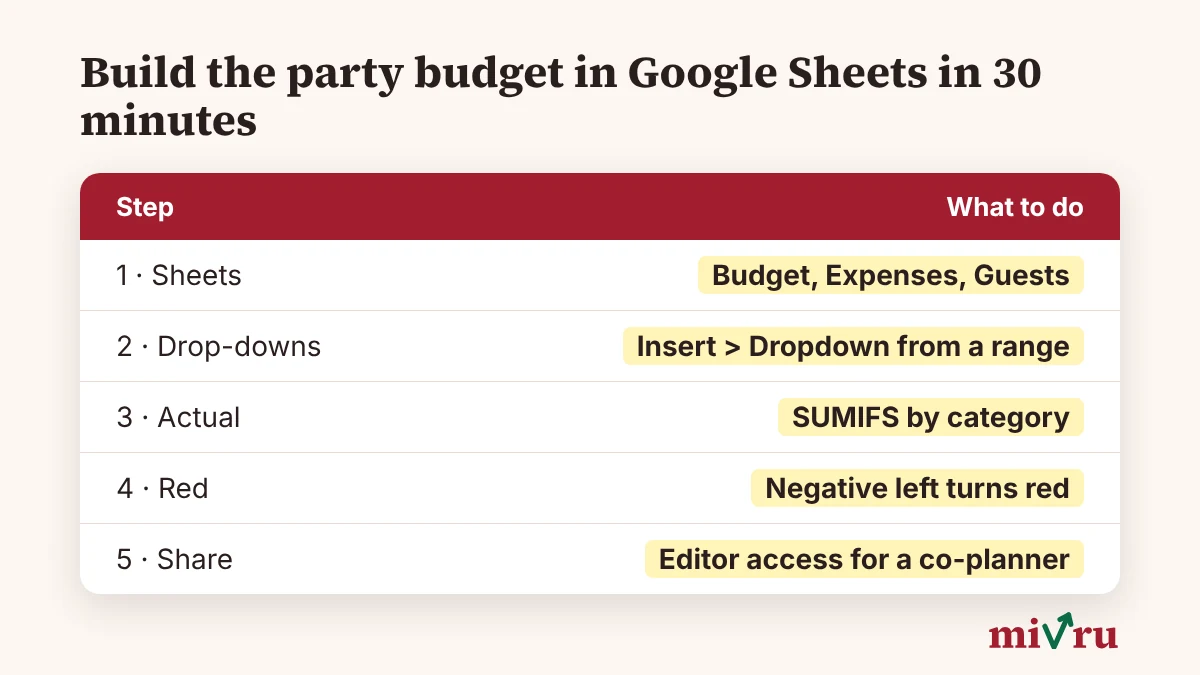
On Budget type in row 1: Category, Budget, Actual, Left. List the ten categories in A2:A11 and type your plan in B2:B11. On Expenses: Date, Category, Item, Amount, Paid. On Guests: Name, Party size, RSVP.
Step 2: Add drop-downs
Select the Category column on Expenses, choose Insert > Dropdown, set the option to Dropdown (from a range) and enter Budget!A2:A11. For RSVP on Guests, create a dropdown with the items Yes, Maybe, No and Not asked. Google's page on creating dropdown lists shows the steps. Colored chips make the RSVP column quick to read on a phone.
Step 3: Example rows
Example (made up): 3/1/2026, Venue, Park pavilion rental, 120. 3/12/2026, Food, Pizza for 14, 70. 3/10/2026, Cake and dessert, Birthday cake, 65.
Step 4: Actual and left
In Budget!C2 enter:
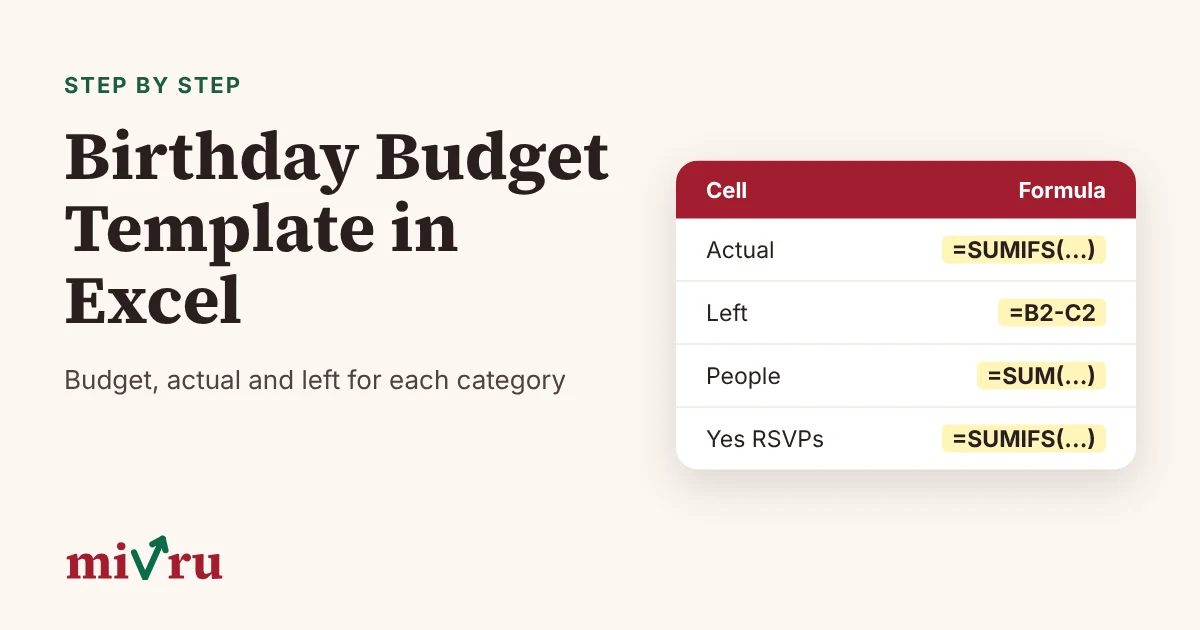
=SUMIFS(Expenses!$D$2:$D$500,Expenses!$B$2:$B$500,A2)
and in D2 =B2-C2. Copy both down and add totals with =SUM(B2:B11), =SUM(C2:C11) and =SUM(D2:D11). Google's help page for SUMIFS explains the conditions. The made-up birthday has $750.00 budget, $718.80 actual and $31.20 left.
Step 5: Red when over budget
Select D2:D12 and choose Format > Conditional formatting > Custom formula is. Enter =D2<0 and pick a red text color. Google explains the dialog on its page about conditional formatting.
Step 6: RSVP counts
| Label | Formula |
|---|---|
| People invited | =SUM(Guests!B2:B300) |
| Yes | =SUMIFS(Guests!B2:B300,Guests!C2:C300,"Yes") |
| Maybe | =SUMIFS(Guests!B2:B300,Guests!C2:C300,"Maybe") |
| No | =SUMIFS(Guests!B2:B300,Guests!C2:C300,"No") |
With the made-up guests: 12 invited, 9 yes, 2 maybe and 1 no. Cost per invited guest: =C12/B14, or $718.80 / 12 = $59.90.
Step 7: Share and use on your phone
Click Share and give your co-planner Editor access. Install the Google Sheets app so you can add an expense in the store. Star the file to find it quickly. Take a photo of each receipt and save it in a Drive folder named for the party.
Step 8: Plan for safety too
The sheet cannot warn you about food, so add a line to Notes. The USDA says perishable food should not sit out for more than two hours, or one hour when it is over 90°F, in its guidance on the danger zone between 40°F and 140°F. If you will use latex balloons with young children, the Consumer Product Safety Commission advises keeping deflated balloons away from children younger than 8.
Related guides
For a printable start, use our free party budget and guest checklist. For more on what to include, read the party planning budget template guide. For a graduation party, see the graduation party budget guide, and for monthly bills the bill tracker in Google Sheets. This is general information, not financial advice.
What the Budget sheet should show
| Item | Value |
|---|---|
| Budget | $750.00 |
| Actual | $718.80 |
| Left | $31.20 |
| People invited | 12 |
| Yes / Maybe / No | 9 / 2 / 1 |
| Cost per invited guest | $59.90 |
The checks: 750.00 - 718.80 = 31.20, 9 + 2 + 1 = 12 and 718.80 / 12 = 59.90.
If something does not work
- Actual shows zero for a category. The category name on Expenses does not match the name on Budget. Use the drop-down.
- Left is red when you expect it to be black. The conditional rule uses less than zero, so check that the budget cell holds a number.
- The RSVP counts are off. Check the spelling of Yes, Maybe and No in the Guests sheet.
- The cost per guest shows an error. The invited count is empty or zero.
A tip for sharing
If a co-planner helps, tell them which sheet to use for what. The Expenses sheet is for money spent, and the Guests sheet is for replies. Two people typing into the same row at once can cause confusion, so agree who logs what.
Cost per guest as a planning tool
The cost per invited guest, $59.90 in the example, is a useful number for the next party. If you plan a party of 20 next year and want to spend about the same per person, multiply: 20 x $59.90 = $1,198. Use that as a first budget, and then adjust the categories.
Keeping receipts
Take a photo of each receipt and save it in a Drive folder named for the party. Write the file name in the Item column if you want to find it later. After the party, compare the Expenses sheet with your card statement, so every purchase is counted once.
After the party
Look at which categories ended over or under budget and write one note for next time. A short note, such as "favors cost more than planned", is the most useful part of the sheet for the next party.
Skip the setup
The Mivru Party Budget Planner & Guest List works in Google Sheets and Excel. Upload the file to Google Drive, open it with Sheets and type in the yellow cells. It has an Expenses log, a Guests sheet, Budget vs Actual for up to three parties and an 12-page printable. See the Party Budget Planner & Guest List.
Frequently asked questions
Can I make a birthday party budget in Google Sheets for free?
Yes. Google Sheets is free, works on your phone and has SUMIFS, which is the formula that adds up spending by category.
Can two people plan the party in the same sheet?
Yes. Share the sheet with edit access. Both of you can add expenses and see the budget update.
How do I add a drop-down in Google Sheets?
Select the cells, choose Insert > Dropdown, pick Dropdown (from a range) and select the list on your Budget sheet.
How do I count RSVPs?
Use SUMIFS on the party size column with the RSVP column equal to Yes, Maybe or No.
Can I use the Mivru spreadsheet in Google Sheets?
Yes. Upload the .xlsx file to Google Drive and open it with Google Sheets. The drop-downs and formulas keep working.