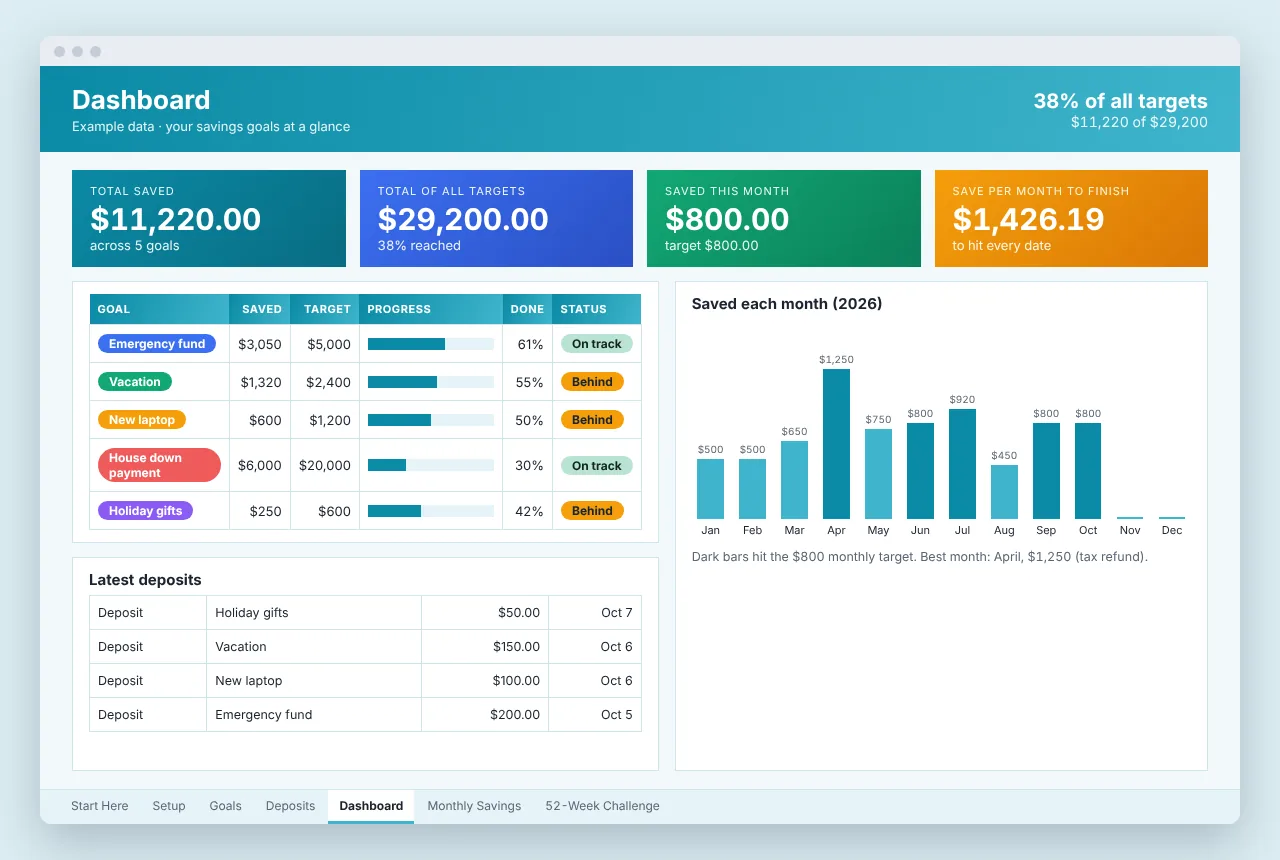
 Launch price
Excel · Google Sheets · Printable
Savings Tracker Spreadsheet & Printable
7 sheets in 5 colors + 12-page printable. Excel & Google Sheets.
$12.90Regular price $20.90See details →

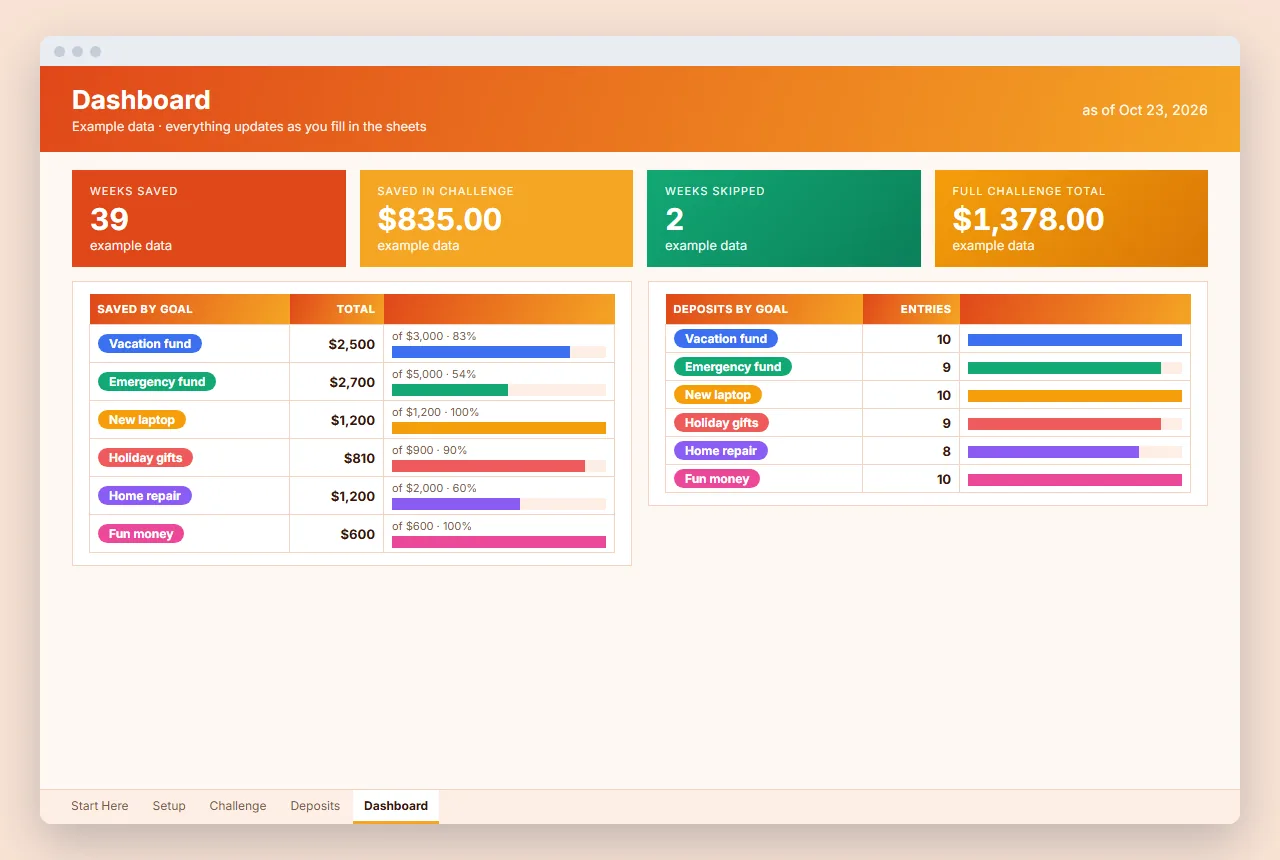
A savings challenge tracker you can print and color in or use in Excel and Google Sheets. Tick off the 52-week challenge, log deposits toward each goal such as a vacation fund, and watch the progress bars fill.
Your download appears on the next page. Bookmark it to come back anytime.
Download the Excel file, make your own copy in Google Sheets, or print the PDF.
Fill in your own numbers. Everything works on a phone, a laptop or on paper.
For personal use only. Please don’t resell, share or redistribute these files. Every file carries mivru.com in its footer.
Pick the year and name up to 6 goals with targets.
52 weeks, starting at $1 and growing $1 a week.
Pick one for each week and add the date.
A simple log: date, goal and amount.
Weeks saved, weeks skipped and money saved.
Each goal with saved amount, target and a progress bar.
All 52 weeks add up to $1,378.
Plus the total of your deposits.
Ocean, Sunset, Berry, Mint and dark Midnight.
Works in both. Google Sheets needs a free account.
Type in the yellow cells. Every formula is built in.
Color and black-and-white. 52-week chart, 100-envelope chart and goal thermometers.
Saving works best when it is a habit. The Consumer Financial Protection Bureau suggests setting a goal, testing a plan and then saving automatically, and its guide to emergency funds says that even a small amount can provide some financial security. A challenge chart turns that into something you can see and tick. Example weeks and deposits are made up so you can see how it works; clear them and start your own.
The spreadsheet has 5 sheets. Start Here explains the steps. On Setup you pick the year and name up to six savings goals with a target amount for each, such as a vacation fund or an emergency fund. The Challenge sheet lists all 52 weeks with the amount to save each week. Pick Saved or Skipped from the drop-down and add the date. The Deposits sheet is a simple log: date, goal and amount.
The Dashboard shows how you are doing. Tiles count the weeks you have saved, the weeks you skipped and the money saved in the challenge, plus the total of your deposits. A table shows each goal with the amount saved, the target and a progress bar. The challenge starts at $1 in week 1 and grows by $1 a week, so a full 52 weeks adds up to $1,378.
The download has the same workbook in five color themes: Ocean, Sunset, Berry, Mint and a dark Midnight version. It works in Microsoft Excel and in Google Sheets with a free Google account. The 11-page printable comes in color and in black and white. It has a 52-week chart with a box for every week, a 100-envelope chart, two goal thermometers to color in as you save, a goal planner, a vacation fund planner, a deposit log and a month-by-month grid.
Saving works best when it is a habit. The Consumer Financial Protection Bureau suggests setting a goal, testing a plan and then saving automatically, and its guide to emergency funds says that even a small amount can provide some financial security. A challenge chart turns that into something you can see and tick. Example weeks and deposits are made up so you can see how it works; clear them and start your own.
Want a taste first? Try the free printable 52-week savings challenge.
Launch price7 sheets in 5 colors + 12-page printable. Excel & Google Sheets.
 Launch price
17 tabs in 5 colors + 20-page printable planner. Excel & Google Sheets.
 Launch price
Emergency contacts, key documents and account list in one binder. Spreadsheet in 5 colors + printable pages.
Yes. Upload the .xlsx file to Google Drive and open it with Google Sheets, or open it in Microsoft Excel. The formulas and drop-downs work in both.
If you save $1 in week 1, $2 in week 2 and so on up to $52, you save $1,378 in 52 weeks. You can change the amounts or flip the order to start with the biggest.
Pick Skipped in the drop-down. The dashboard counts it separately, and you can catch up later or leave it.
On the Challenge and Deposits sheets, select the yellow cells under the headings and press Delete. The example weeks and deposits are made up.
An instant download: the spreadsheet in 5 color themes and the 11-page printable in color and black and white, plus access any time from My downloads with the email you used at checkout.