 Launch price
Excel · Google Sheets · Printable
Expense Tracker Spreadsheet & Printable
17 tabs in 5 colors + 20-page printable planner. Excel & Google Sheets.
$9.90Regular price $16.90See details →

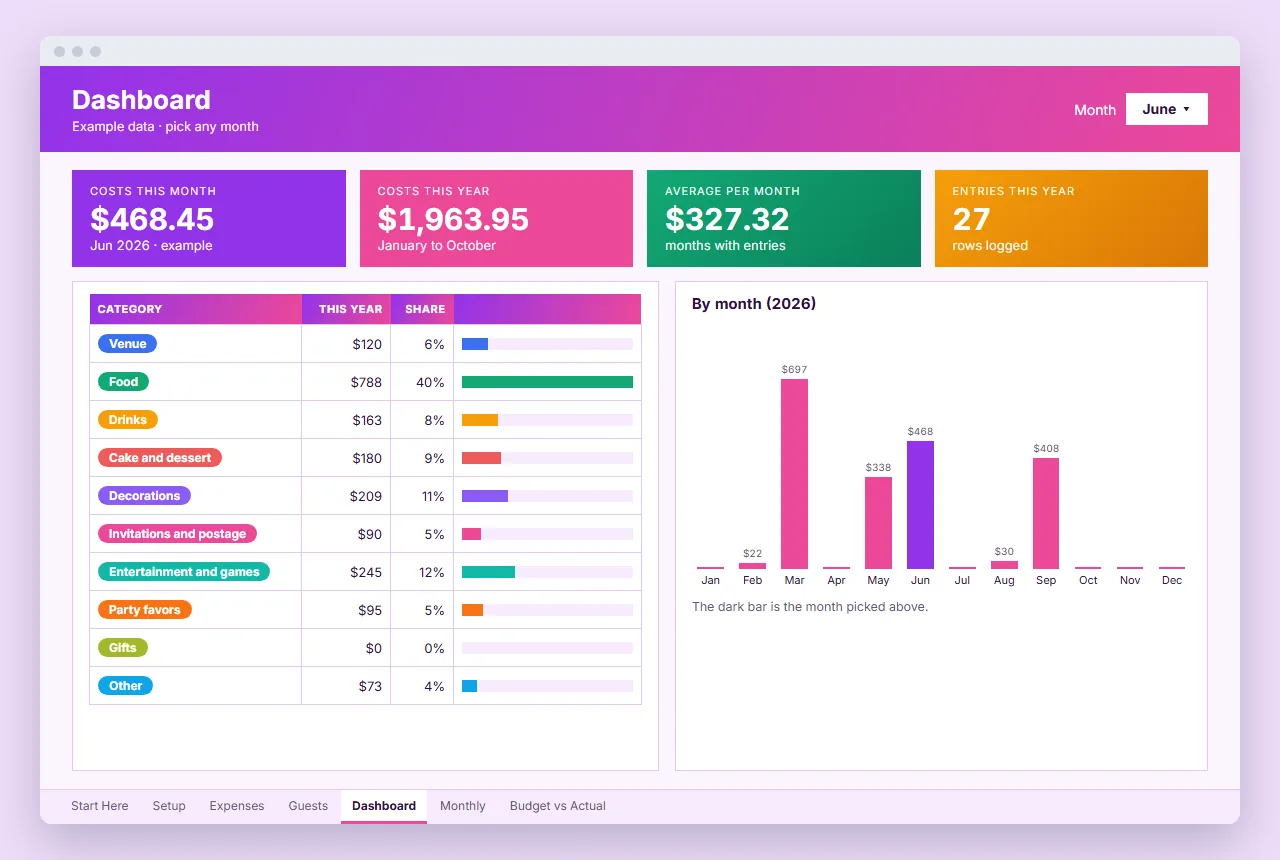
A party budget planner template for birthdays, graduations and showers. Type a budget for each category, log what you spend, and see at once what is left, plus a guest list with RSVP counts.
Your download appears on the next page. Bookmark it to come back anytime.
Download the Excel file, make your own copy in Google Sheets, or print the PDF.
Fill in your own numbers. Everything works on a phone, a laptop or on paper.
For personal use only. Please don’t resell, share or redistribute these files. Every file carries mivru.com in its footer.
Year, up to 3 events and 10 categories.
Type your plan per category and event. Red when over.
One row per purchase: date, event, category, item, amount.
Invitations with party size and RSVP: yes, maybe or no.
Ocean, Sunset, Berry, Mint and dark Midnight.
Works in both. Google Sheets needs a free account.
Type in the yellow cells. Every formula is built in.
Color and black-and-white. Budget, countdown checklist, guest list and timeline.
Food safety is part of party planning. The USDA says perishable food should not sit out for more than two hours, or one hour when it is over 90°F, in its guidance on the danger zone between 40°F and 140°F. The planner has a spot for the serving plan. If you use latex balloons, the Consumer Product Safety Commission advises keeping deflated balloons away from children younger than 8.
The spreadsheet has 7 sheets. Start Here explains the steps. On Setup you type the year, name up to three events (for example a birthday, a graduation and a baby shower) and edit ten categories. On Budget vs Actual you type the amount you plan to spend in each category for each event. Then you add one row to the Expenses log for every purchase: date, event, category, item and amount. The Guests sheet lists each invitation with the party size and the RSVP.
Everything adds up by itself. Budget vs Actual shows, for each event and each category, your budget, what you have spent and what is left, in red when you go over, plus the number of people invited and how many said yes, maybe or no. The Dashboard has a month picker, totals for the month and the year and a table for each event. The Monthly sheet shows costs by category for all 12 months.
The download has the same workbook in five color themes: Ocean, Sunset, Berry, Mint and a dark Midnight version. It works in Microsoft Excel and in Google Sheets with a free Google account. If you like paper, the 12-page printable comes in color and in black and white, with a budget page, a countdown checklist, a guest list, a menu planner, a shopping list, a timeline for the day and a thank-you list. Example parties and costs are made up so you can see how it works; clear them and add your own.
Food safety is part of party planning. The USDA says perishable food should not sit out for more than two hours, or one hour when it is over 90°F, in its guidance on the danger zone between 40°F and 140°F. The planner has a spot for the serving plan. If you use latex balloons, the Consumer Product Safety Commission advises keeping deflated balloons away from children younger than 8.
Not ready to buy? Start with the free printable party budget and guest checklist.
Launch price17 tabs in 5 colors + 20-page printable planner. Excel & Google Sheets.
 Launch price
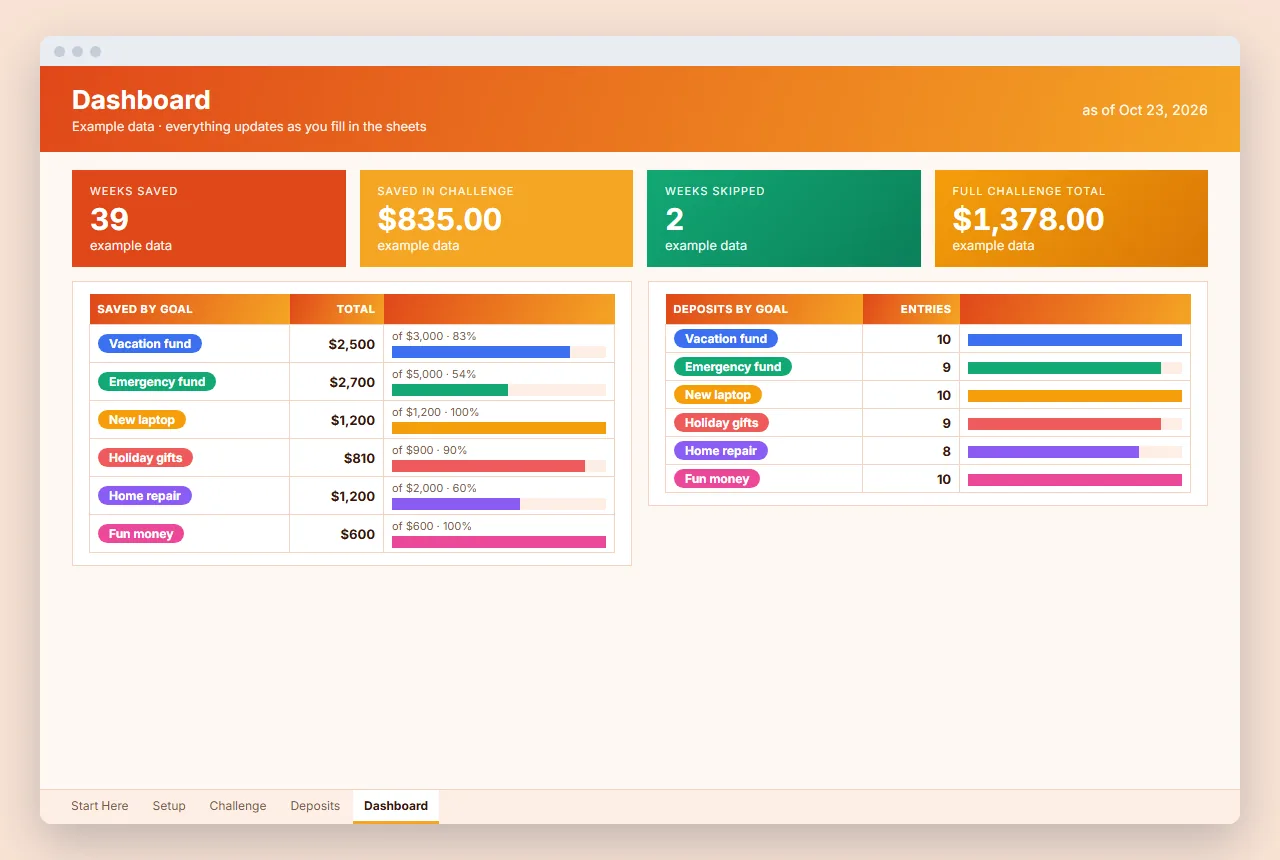
52-week and 100-envelope challenges, goal thermometers and a deposit log. Spreadsheet in 5 colors + printable charts.
 Launch price
Emergency contacts, key documents and account list in one binder. Spreadsheet in 5 colors + printable pages.
Yes. Upload the .xlsx file to Google Drive and open it with Google Sheets, or open it in Microsoft Excel. The formulas and drop-downs work in both.
Up to three events side by side on the Budget vs Actual sheet. Name them on the Setup sheet, then pick the event from the drop-down on every expense and guest row.
On the Expenses and Guests sheets, select the yellow cells under the headings and press Delete. Also clear the example budgets on the Budget vs Actual sheet.
It is made for birthdays, graduations, showers and similar parties. A wedding has many more categories, so a wedding budget planner is a better fit.
An instant download: the spreadsheet in 5 color themes and the 12-page printable in color and black and white, plus access any time from My downloads with the email you used at checkout.