 Launch price
Excel · Google Sheets · Printable
Household Binder Printables & Spreadsheet
Emergency contacts, key documents and account list in one binder. Spreadsheet in 5 colors + printable pages.
$9.90Regular price $16.90See details →

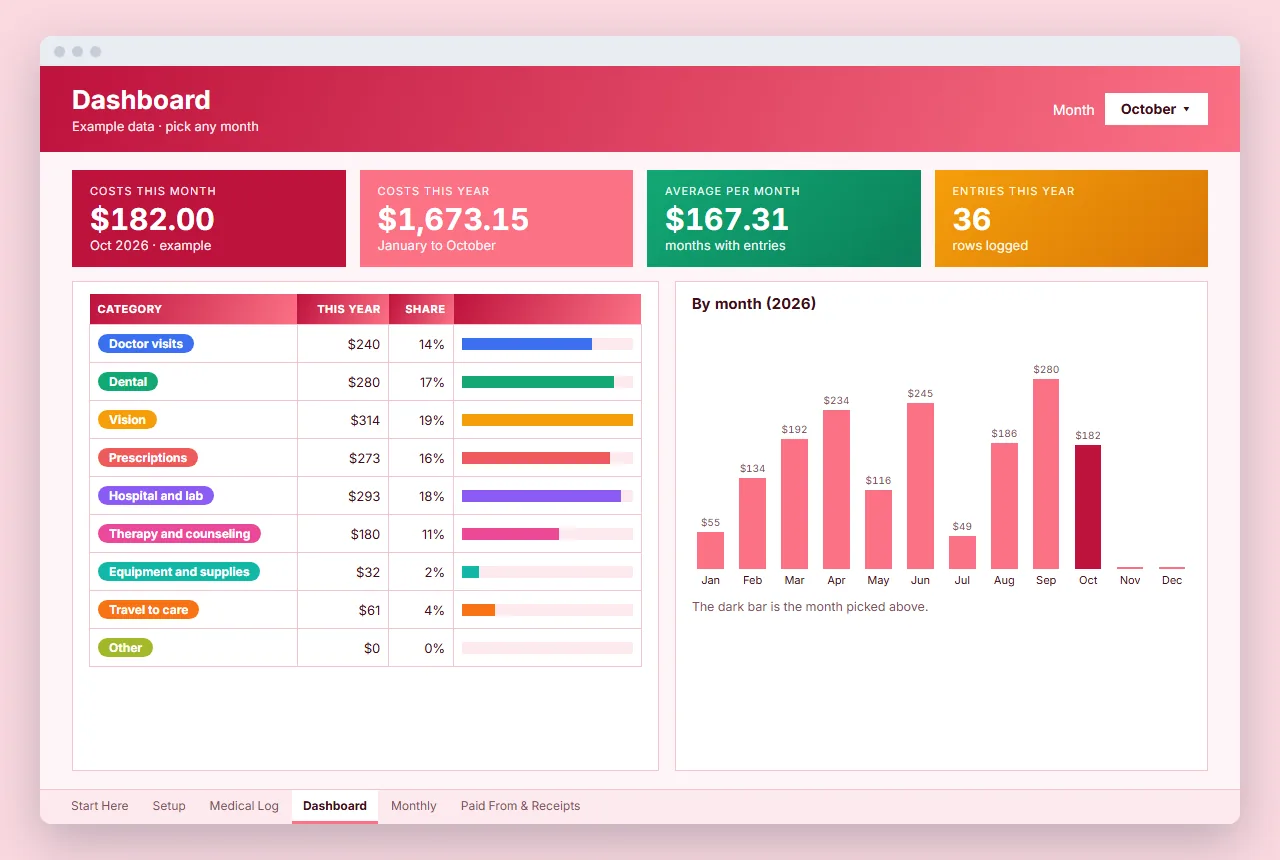
A medical expense tracker spreadsheet for Excel and Google Sheets. Log each visit, prescription and bill once, and it adds up costs for every family member by category and month and shows what came from an HSA or FSA and which receipts are missing.
Your download appears on the next page. Bookmark it to come back anytime.
Download the Excel file, make your own copy in Google Sheets, or print the PDF.
Fill in your own numbers. Everything works on a phone, a laptop or on paper.
For personal use only. Please don’t resell, share or redistribute these files. Every file carries mivru.com in its footer.
Year, up to 4 family members and 9 categories.
One row per cost: provider, amount, HSA, FSA or own money.
Month picker with totals and tables by category and person.
Totals by HSA, FSA or own money, and receipts still needed.
Ocean, Sunset, Berry, Mint and dark Midnight.
Works in both. Google Sheets needs a free account.
Type in the yellow cells. Every formula is built in.
Color and black-and-white. Expense log, claims page and appointments calendar.
Good records matter for health costs. The IRS says that for a Health Savings Account you should keep records showing that distributions were used only for qualified medical expenses, and that those expenses were not paid or reimbursed from another source. It also explains in Topic No. 502 that medical and dental expenses reimbursed by insurance do not count toward the medical expense deduction. This tracker is a record-keeping tool, not tax, medical or insurance advice: ask your plan administrator or a tax professional what applies to you. Do not type diagnoses; short notes like "check-up" are enough.
The spreadsheet has 6 sheets. Start Here explains the steps. On Setup you type the year, name up to four family members and edit nine categories. Then you add one row to the Medical Log for each cost: date, person, category, provider, amount, where the money came from (HSA, FSA or your own money) and whether you kept the receipt. Person and category are drop-downs, and each category shows as a colored tag.
The Dashboard has a month picker. Pick a month and tiles show the total for that month and the year, the average per month and the biggest category, with a table for every category and a table for each person. The Monthly sheet shows all 12 months by category as a heat map. The Paid From & Receipts sheet totals what came from an HSA, an FSA or your own money and counts the receipts you have and the ones you still need.
The download has the same workbook in five color themes: Ocean, Sunset, Berry, Mint and a dark Midnight version. It works in Microsoft Excel and in Google Sheets with a free Google account. You type only in the yellow cells. If you like paper, the 12-page printable comes in color and in black and white, with an expense log, an insurance claims page, a receipt log, an HSA and FSA log, a prescriptions page and an appointments calendar.
Good records matter for health costs. The IRS says that for a Health Savings Account you should keep records showing that distributions were used only for qualified medical expenses, and that those expenses were not paid or reimbursed from another source. It also explains in Topic No. 502 that medical and dental expenses reimbursed by insurance do not count toward the medical expense deduction. This tracker is a record-keeping tool, not tax, medical or insurance advice: ask your plan administrator or a tax professional what applies to you. Do not type diagnoses; short notes like "check-up" are enough.
It suits families who want to see what health care really costs, anyone with an HSA or FSA, and people who want tidy records at the end of the year. Example visits and bills for January to October 2026 are made up so you can see how it works; clear them and add your own.
Not ready to buy? Start with the free printable medical expense and receipt log.
Launch priceEmergency contacts, key documents and account list in one binder. Spreadsheet in 5 colors + printable pages.
 Launch price
17 tabs in 5 colors + 20-page printable planner. Excel & Google Sheets.
 Launch price
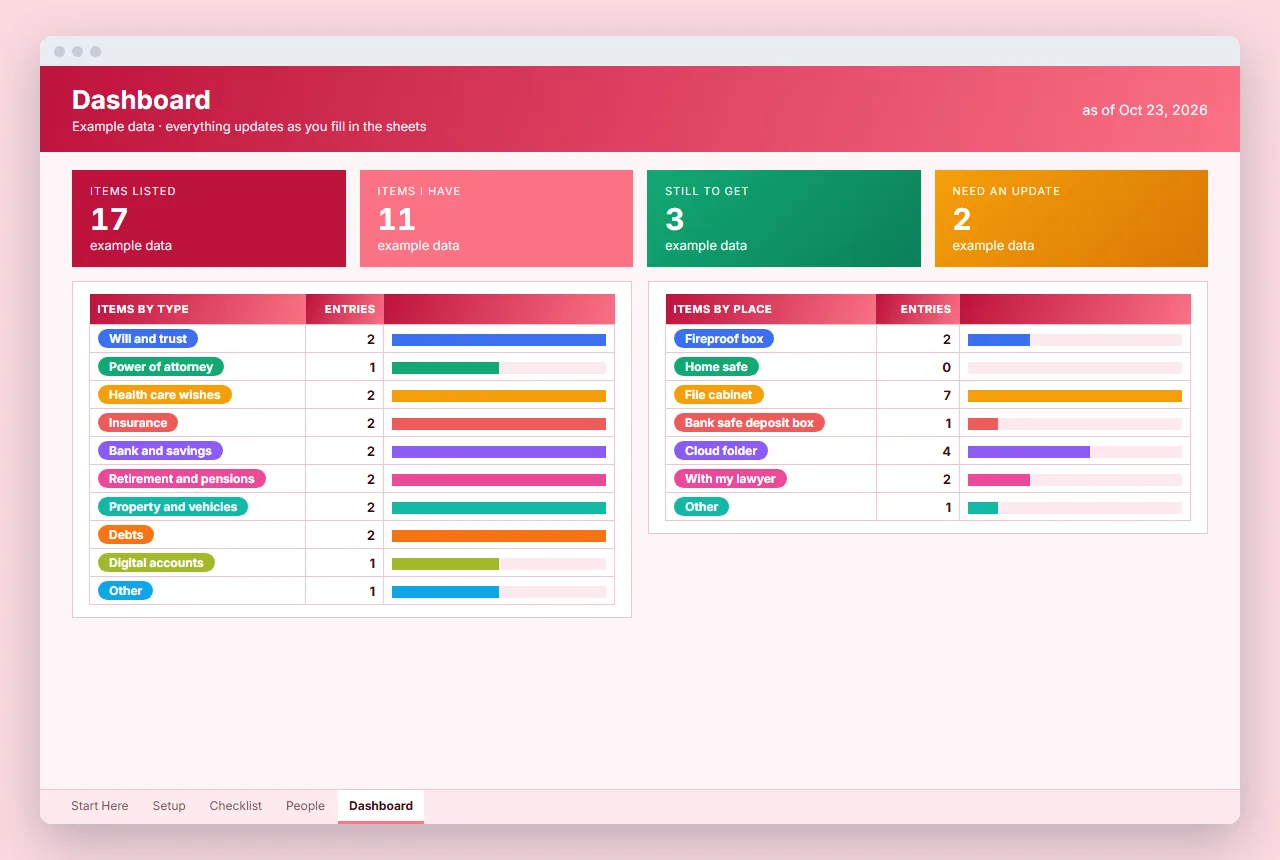
Where your will, accounts and key papers are and who to call. Spreadsheet in 5 colors + printable organizer.
Yes. Upload the .xlsx file to Google Drive and open it with Google Sheets, or open it in Microsoft Excel. The formulas and drop-downs work in both.
No. It records costs and where the money came from. It is not tax, medical or insurance advice. Ask your plan administrator or a tax professional what qualifies.
No. Use short notes such as check-up, lab work or refill. Keep detailed medical information out of the file.
On the Medical Log sheet, select the yellow cells under the headings and press Delete. The made-up examples are the only thing to remove.
An instant download: the spreadsheet in 5 color themes and the 12-page printable in color and black and white, plus access any time from My downloads with the email you used at checkout.