Side Hustle Tracker: 8 Simple Ways to Track Your Income
A side hustle tracker shows your real profit. Eight simple ways to track side hustle income and expenses, with a free printable and a spreadsheet.

A side hustle tracker shows what you really keep. Income is only half of the story, because every hustle has costs: fees, supplies, software, postage, gas. A tracker records both, so you can see your profit for each hustle and each month.
Here are eight simple ways to track side hustle income and expenses. They work on paper, in Excel or in Google Sheets. All numbers in the examples are made up.
1. Keep one income log and one expense log
Two lists are enough. In the income log, write the date, who paid you, what it was for and the amount. In the expense log, write the date, what you bought, the category and the amount. Do it the day it happens. A purchase you write down on Friday is easy to remember. A purchase you try to remember in March is not.
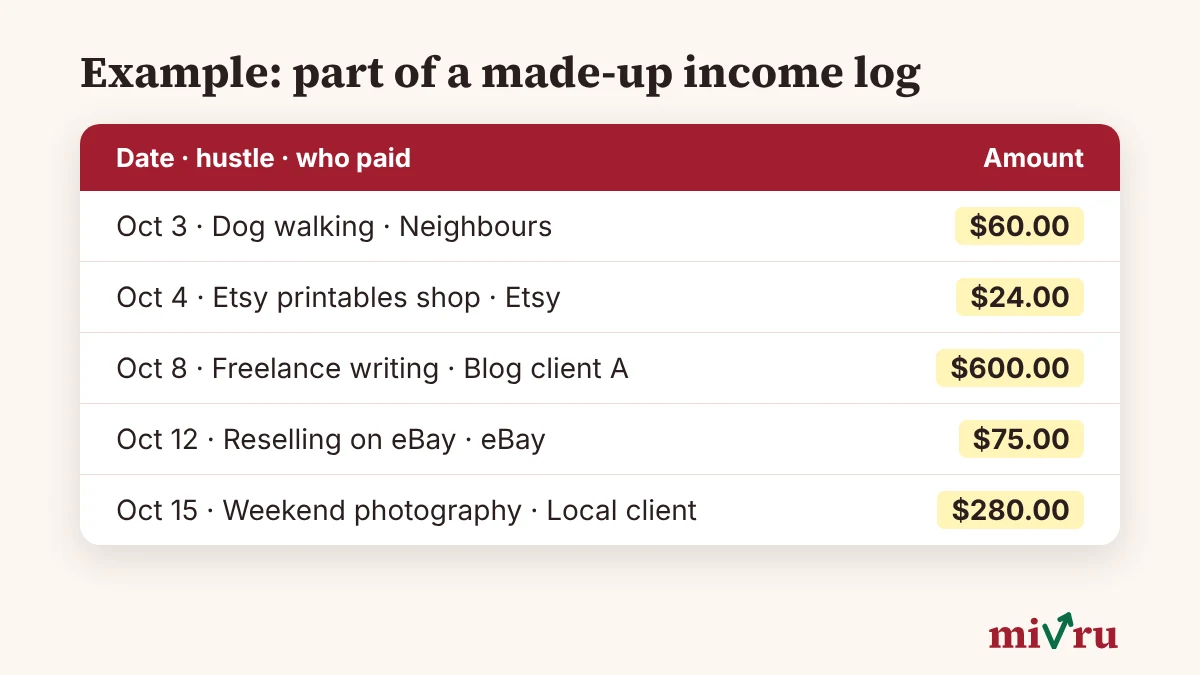
2. Give every hustle its own name
If you have more than one hustle, add a column that says which one each line belongs to. Then you can add up each hustle on its own. This is the step that turns a list of numbers into answers.
Example: A made-up person has five hustles: freelance writing, an Etsy printables shop, weekend photography, dog walking and reselling on eBay. In ten months they earned $13,259 in total. Without the hustle column, they could not tell which one paid the most.
3. Track profit, not just income
Profit is income minus expenses. Write it at the bottom of every month. Looking at income alone can fool you, because a hustle with a lot of sales and a lot of costs can leave less money than a small, quiet one.
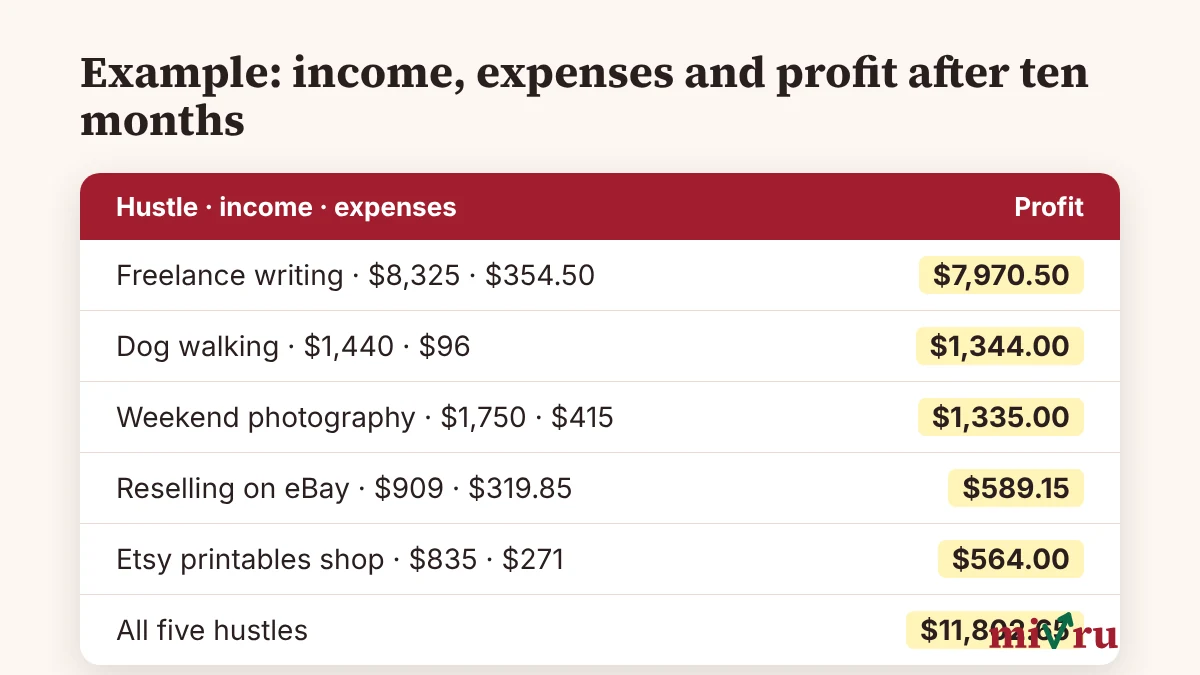
Example: The Etsy printables shop brought in $835 and cost $271 in fees and ads: a profit of $564, or 68% of income. Dog walking brought in $1,440 and cost $96: a profit of $1,344, or 93%.
4. Sort expenses into categories
Give every cost a category, such as software and tools, platform and payment fees, supplies, advertising, shipping, travel, equipment and learning. After a few months you can see your biggest costs. If fees are your biggest cost, a different platform or a higher price might help.
5. Work out your profit per hour
Money is one way to measure a hustle. Time is the other. Write down the hours you spent, and divide the profit by the hours: profit per hour = profit / hours worked.
Example (made-up hours): One hustle earns a $400 profit in a month and takes 20 hours: $20 an hour. Another earns $300 and takes 6 hours: $50 an hour. The second one is the better use of your evenings, even though it earns less.
6. Set a monthly profit goal
A goal gives the numbers a meaning. Pick an amount you want to keep each month, and mark the months you reach it. In our example the goal is $1,000 a month, and the person reached it in 7 of 10 months.
7. Set money aside as you go
Profit is not all yours to spend if you owe tax on it. In the United States, NerdWallet says the self-employment tax rate is 15.3%, and that you pay it if you have $400 or more in net earnings from self-employment. Income tax is separate, and rules differ by country and state. Ask a tax professional what applies to you.
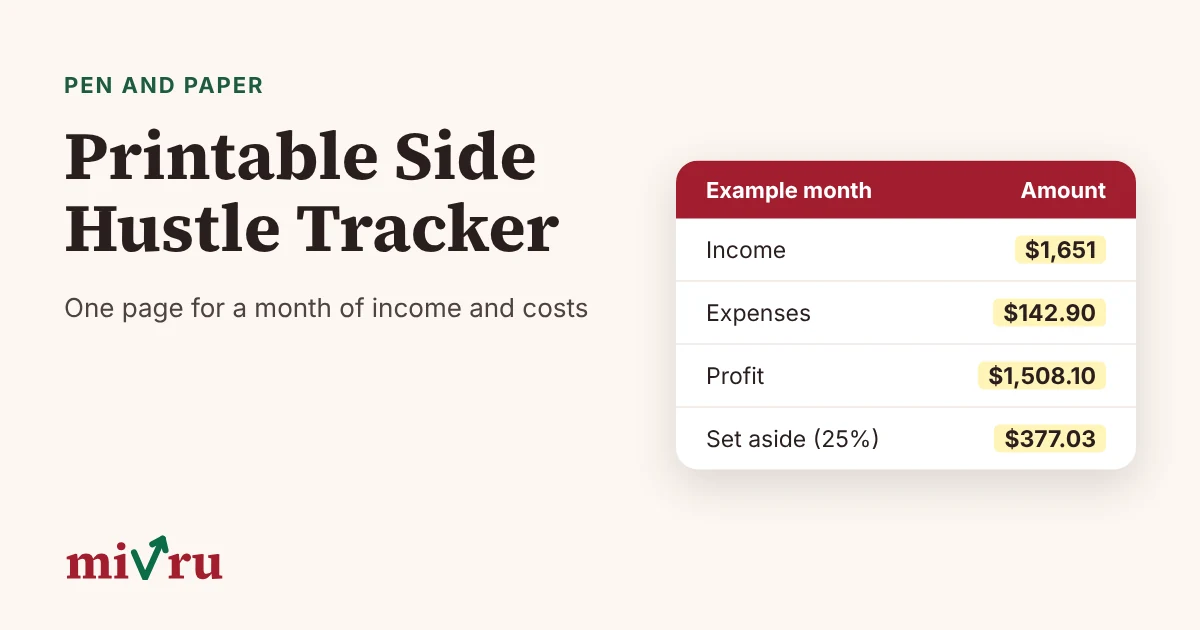
A simple habit is to pick a percent of every month's profit and move it into a separate account. Your tracker can show the amount. A made-up 25% of $11,802.65 profit is $2,950.66.
8. Keep your receipts and records
The IRS says small business owners must be able to prove expenses to deduct them. It gives three years as the general rule for how long to keep records, depending on the action, expense and event recorded. Take a photo of each receipt and keep it in a folder with the month's name.
Common mistakes
- Mixing the hustle money with everyday money. Use a separate card or account if you can, so every cost is easy to find.
- Forgetting small costs. Fees of a few dollars add up to hundreds over a year.
- Counting a sale before you are paid. Write income on the day the money arrives.
- Never looking at the totals. Spend ten minutes at the end of each month adding it up.
Paper, Excel or Google Sheets?
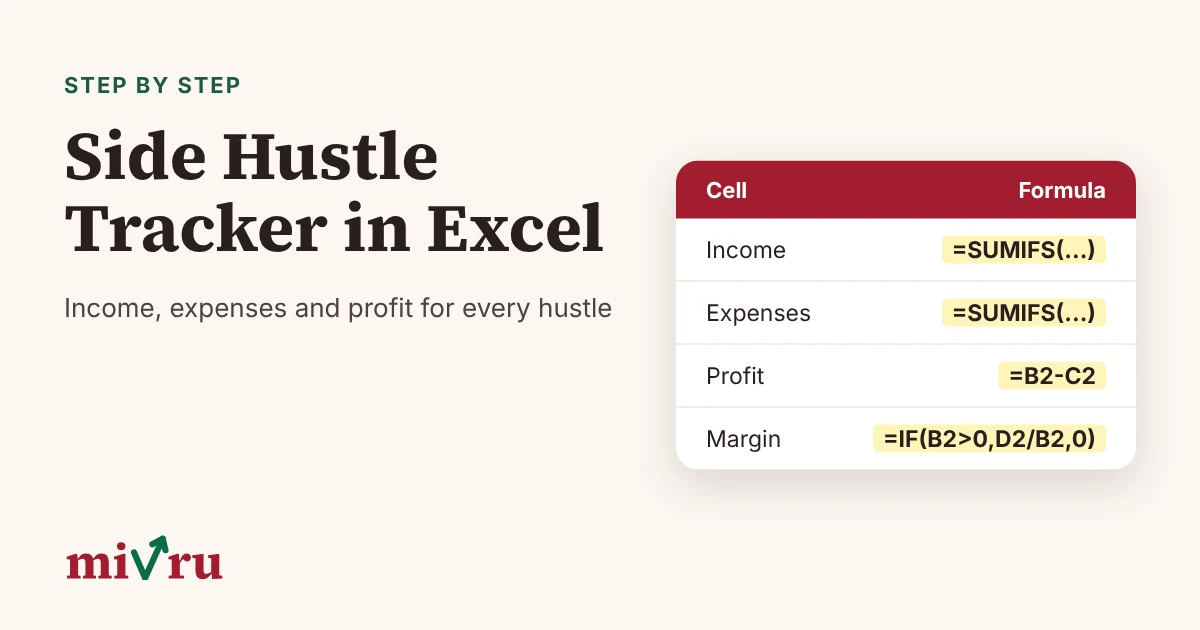
Paper is the easiest start. Our printable side hustle tracker guide shows how to use one page a month. A spreadsheet adds the numbers for you: build one with our side hustle tracker in Excel or in Google Sheets. To see a full year filled in, read the side hustle tracker example. If your spending is the bigger worry, try our guide to tracking expenses, and to save the profit you keep, see the savings tracker ideas. This is general information, not tax or financial advice.
Questions a side hustle tracker can answer
| Question | What you look at |
|---|---|
| Which hustle pays the most? | Income by hustle |
| Which one keeps the most? | Profit and margin by hustle |
| Which month was weakest? | Profit by month |
| What costs the most? | Expenses by category |
| Am I reaching my goal? | Monthly profit against your goal |
Want it ready-made?
The Mivru Side Hustle Tracker has everything above built in: an income log and an expense log with drop-downs, income, expenses and profit for each hustle and month, a dashboard with a month picker, a profit goal and a set-aside amount. It works in Excel and Google Sheets, in five color themes, and comes with a 12-page printable planner. See the Side Hustle Tracker Spreadsheet.
Frequently asked questions
What is a side hustle tracker?
A side hustle tracker is a sheet where you record every payment you get and every cost of your hustle. It adds them up so you can see your profit for each hustle and each month.
What should I track for a side hustle?
Track the date, who paid you and how much, plus every cost of the hustle with its date, category and amount. Add which hustle each line belongs to if you have more than one.
Is income the same as profit?
No. Profit is income minus expenses. A hustle that brings in $835 and costs $271 to run has a profit of $564.
How long should I keep my side hustle records?
The IRS gives three years as the general rule, depending on the action, expense and event recorded. Rules differ by country, so check with a tax professional or your tax agency.
Should I use paper or a spreadsheet?
Paper needs no setup and is easy to keep on a desk. A spreadsheet adds everything up for you and compares months. Many people print one page and keep a spreadsheet too.