Side Hustle Tracker Google Sheets: Free Step-by-Step
Build a free side hustle tracker in Google Sheets: log income and expenses, then see profit by hustle and month. Formulas explained, printable included.
A side hustle tracker in Google Sheets is free, works on your phone and takes about 30 minutes to build. You log each payment and each cost, and the sheet works out the income, the expenses and the profit for every hustle.
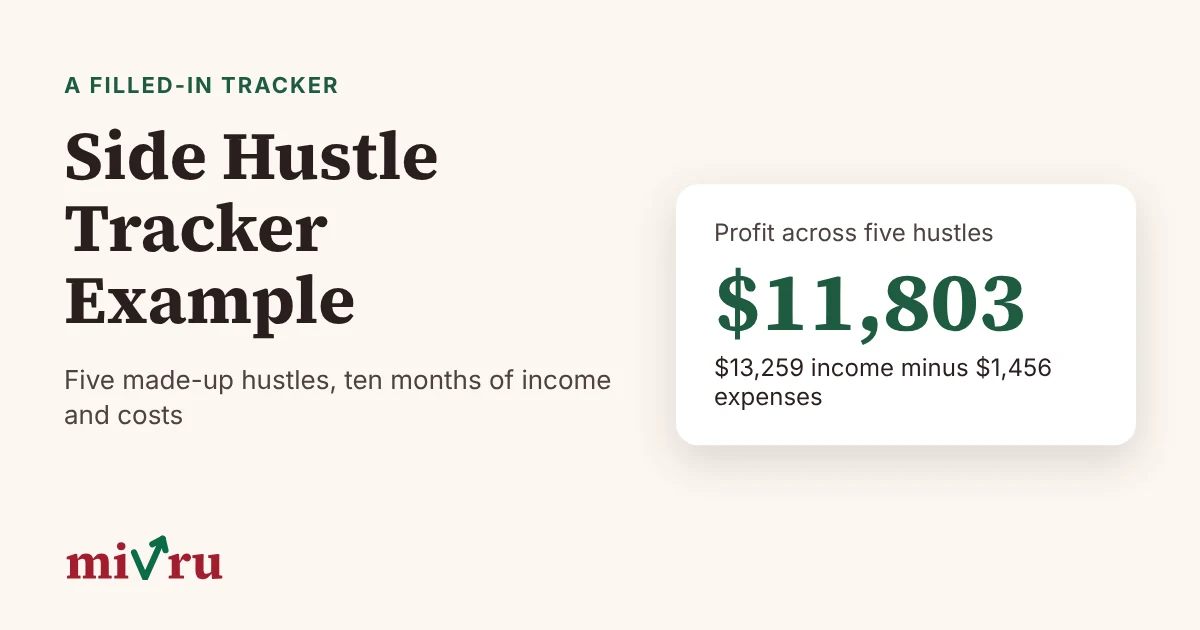
The formulas are almost the same as in Excel, so this guide is short. For the full explanation of each one, see our side hustle tracker in Excel. The numbers are the made-up hustles from our side hustle tracker example.
Step 1: Create the sheets
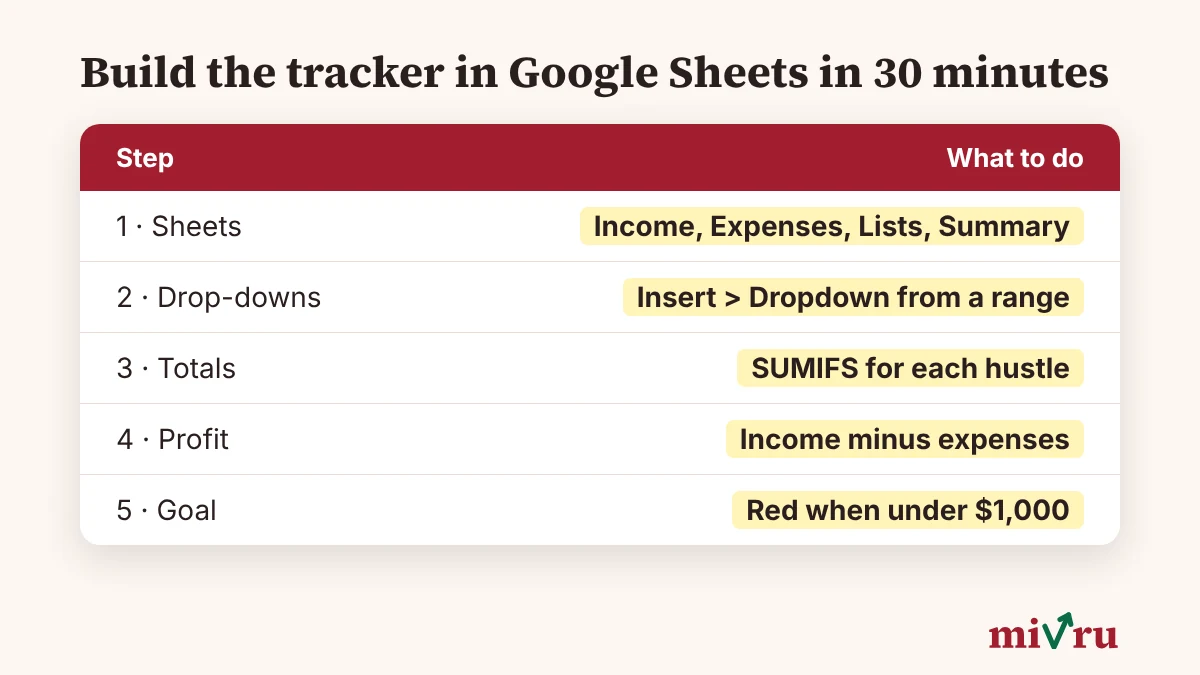
Open Google Sheets and start a blank spreadsheet. Rename the first tab Income, add a tab named Expenses, one named Lists and one named Summary.
On Income, type in row 1: Date, Hustle, Who paid, Amount. On Expenses: Date, Hustle, Category, Amount. On Lists, put the hustle names in column A and the expense categories in column B.
Step 2: Add drop-downs
Select the Hustle column on Income, choose Insert > Dropdown, and set the option to a range: Lists!A2:A7. Do the same for the Hustle column on Expenses, and for Category with Lists!B2:B11. Google explains the steps on its page about creating dropdown lists.
Step 3: Log some example rows
Example: Income: 1/8/2026, Freelance writing, Blog client A, 420. Expenses: 1/1/2026, Freelance writing, Software and tools, 29.
Format the Date columns as dates and the Amount columns as currency (Format > Number > Currency).
Step 4: Total each hustle on the Summary sheet
Type the hustle names in A2 down on Summary. Then type these in row 2 and drag them down:
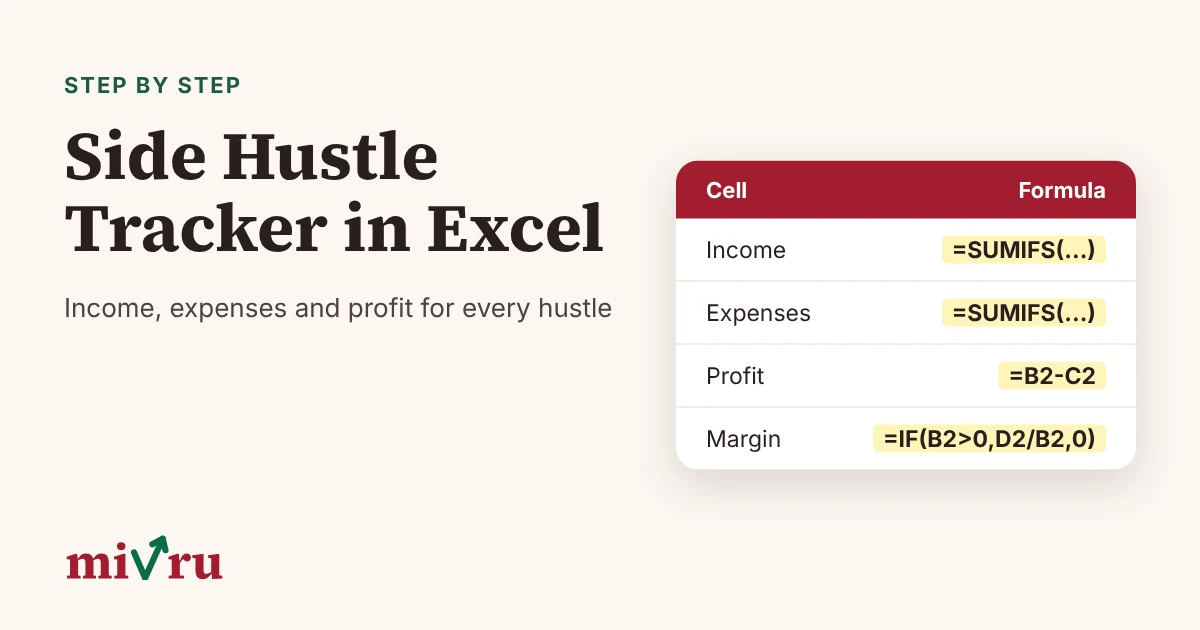
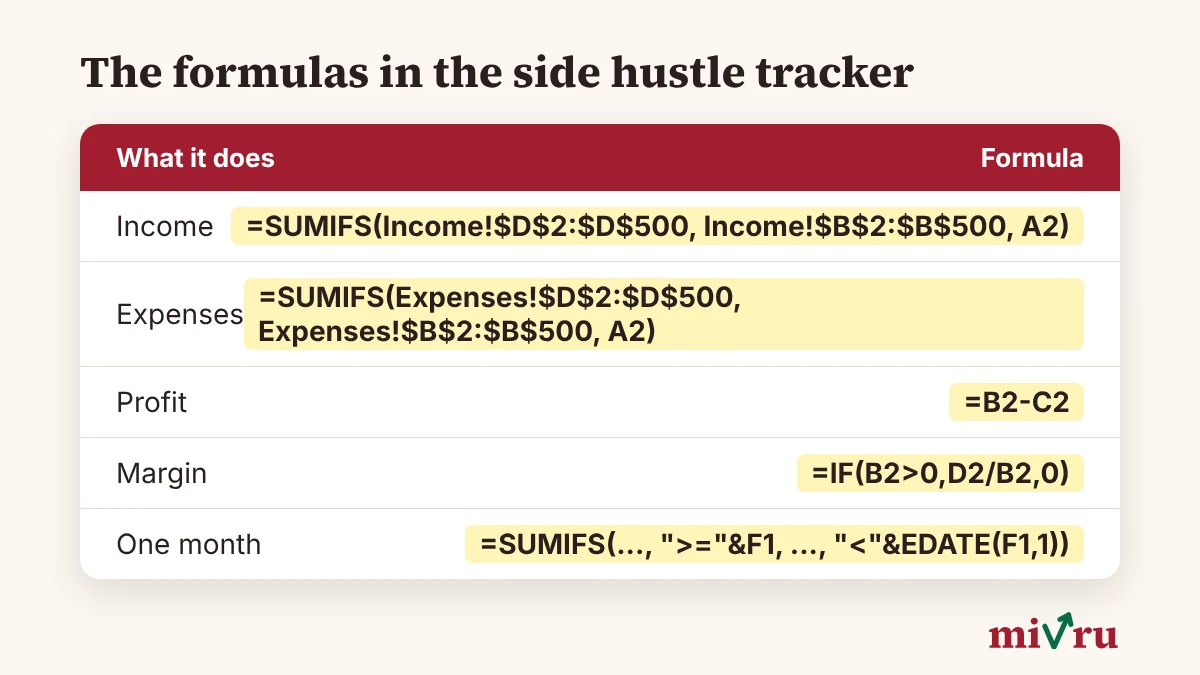
- Income, in B2:
=SUMIFS(Income!$D$2:$D$500,Income!$B$2:$B$500,A2) - Expenses, in C2:
=SUMIFS(Expenses!$D$2:$D$500,Expenses!$B$2:$B$500,A2) - Profit, in D2:
=B2-C2 - Margin, in E2:
=IF(B2>0,D2/B2,0)
Google's help page on the SUMIFS function explains how it adds amounts that match a condition.
Example: The Etsy printables shop shows $835 of income, $271 of expenses, $564 of profit and a margin of 68%.
Step 5: A total row and a profit goal
Under the list, add =SUM(B2:B7), =SUM(C2:C7) and =SUM(D2:D7). In the example they are $13,259, $1,456.35 and $11,802.65. Next to them, type a monthly profit goal, such as $1,000, to compare with each month.
Step 6: Profit for one month
Type the first day of a month in a cell, for example F1 = 10/1/2026. Then:
=SUMIFS(Income!$D:$D,Income!$A:$A,">="&$F$1,Income!$A:$A,"<"&EDATE($F$1,1))
Do the same for Expenses and subtract.
Example: October 2026: income $1,651, expenses $142.90, profit $1,508.10, which is $508.10 over the $1,000 goal.
Step 7: Color the months that miss the goal
Select the profit cells for the 12 months and choose Format > Conditional formatting. Add a rule that turns a cell red when its value is less than your goal. Google explains the options on its page about conditional formatting rules.
Step 8: Use it on your phone
Install the Google Sheets app and open the file. You can add a row the moment you are paid or buy supplies. That is the best way to avoid forgetting a receipt. Turn on Available offline in the app if you work where there is little signal.
Step 9: Keep the records safe
The IRS says small business owners must be able to prove expenses to deduct them, and gives three years as the general rule for keeping records. Rules differ by country. Keep a photo of each receipt in a folder, and download a copy of your sheet (File > Download > Microsoft Excel) at the end of every year.
Tips for Google Sheets
- Share carefully. The sheet shows your income. Use "Restricted" sharing and add people one by one.
- Freeze the header row (View > Freeze > 1 row) so you can see the headings on a long list.
- Name your hustles once. If a name changes, change it on the Lists sheet and in the old rows.
For the thinking behind the sheet, read our side hustle tracker ideas. For spending, try the expense tracker in Google Sheets, and to save the profit, the savings tracker in Google Sheets. This is general information, not tax or financial advice.
The example in one table
| Hustle | Income | Expenses | Profit | Margin |
|---|---|---|---|---|
| Etsy printables shop | $835 | $271 | $564 | 68% |
October 2026 for all hustles: income $1,651, expenses $142.90, profit $1,508.10. That is $508.10 over the $1,000 monthly goal.
If something does not work
- A hustle shows zero. Check that the hustle name in the log matches the summary exactly. The drop-down avoids typos.
- The profit shows an error. Check that the income and expense cells hold numbers.
- The month filter shows nothing. Check that the dates are real dates.
- The goal color does not appear. Open Format > Conditional formatting and check the range and the formula.
Sharing and safety
If you share the tracker with a partner or an accountant, use the Editor role for people who add rows and Viewer for people who only need to read. Do not put bank details or client contact information in the sheet. Keep receipts in a separate folder.
A monthly review
On the first of each month, look at income, expenses and profit for each hustle. Note which one earned the most per hour you put in, and decide whether to spend more time there next month.
Want it ready-made?
If you would rather start today, the Mivru Side Hustle Tracker opens in Google Sheets with everything built in: income and expense logs with drop-downs, a dashboard with a month picker, profit and margin for each hustle, a Monthly Profit sheet and a set-aside amount. It comes in five color themes, with a 12-page printable planner. See the Side Hustle Tracker Spreadsheet.
Frequently asked questions
Can I make a side hustle tracker in Google Sheets for free?
Yes. Google Sheets is free with a Google account and has every formula you need: SUMIFS, EDATE, IF and SUM. It also works on your phone, so you can log a payment as soon as you get it.
How do I add a drop-down list for my hustles?
Select the cells, choose Insert > Dropdown, pick Dropdown (from a range) and select the hustle names on your Lists sheet.
How do I total income for one month?
Use SUMIFS with two date conditions: on or after the first day of the month, and before the first day of the next month. EDATE gives the next month.
How do I use the Mivru spreadsheet in Google Sheets?
Upload the .xlsx file to Google Drive and open it with Google Sheets. Formulas and drop-downs keep working.
Can I share the tracker with a partner?
Yes. Share the sheet with edit access, and both of you can add payments and costs. Only share it with people you trust, because it holds your income.