Printable Bill Tracker: Monthly and Yearly Pages That Work
What a printable bill tracker should include, how to fill in monthly and yearly pages, and how to use it in five minutes a week. Free one-page PDF inside.
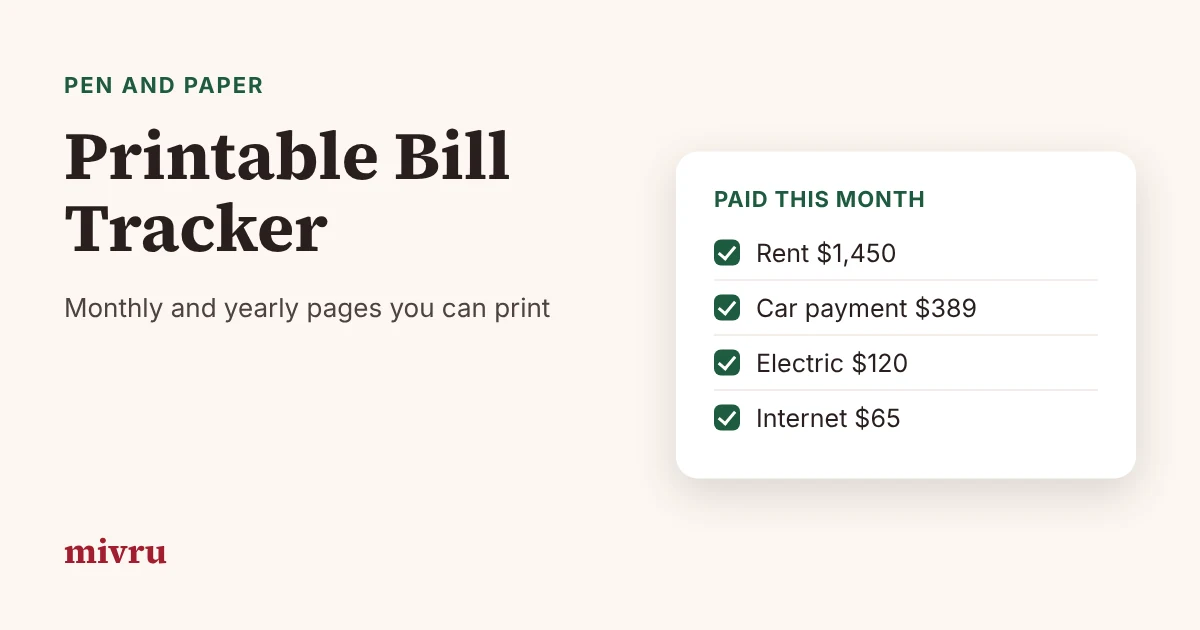
A printable bill tracker is the simplest way to stop missing due dates: one page, every bill, a box to tick when it is paid. It sits on the fridge or in a planner where you see it every day, and it needs no app, no login and no charging.
This guide shows what a good printable bill tracker includes, how to fill in the monthly and yearly pages, and how to use it in five minutes a week. You can also download our free one-page Monthly Bill Checklist.
What a printable bill tracker should include
The best trackers are boring on purpose. Every bill gets the same five things:
- A paid box to tick when the bill is paid.
- The bill's name, written the way it appears on your statement.
- The due date.
- The amount. For bills that change, write your estimate and correct it when the bill arrives.
- A short note, such as "autopay", "paid online" or the confirmation number.
At the bottom, add three lines: total bills this month, paid so far and left to pay. That is all you need for a monthly page.
How to fill in a monthly page
Start each month by copying your bills onto a fresh page in due-date order. If you have a master list (see how to keep track of bills), this takes about five minutes.
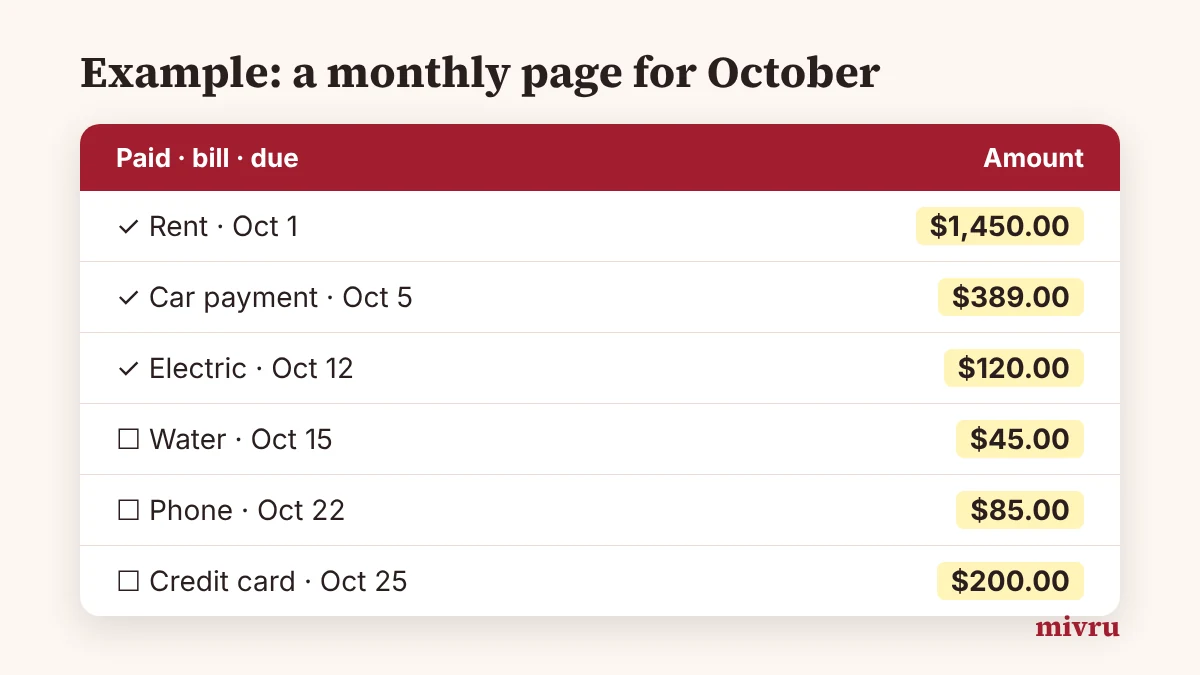
Example: Our October page lists 11 bills from rent on the 1st ($1,450) to the credit card on the 25th ($200), with a total of $2,826.49. As each bill is paid, the box gets a tick and the date goes in the notes. On October 22, eight boxes are ticked and three bills are left: water ($45), phone ($85) and credit card ($200), so $330 is still to pay.
Use a pencil for amounts that change, like electric or water, and ink once the real bill arrives. If a bill was more than planned, write the difference in the notes; it helps you plan next month.
The yearly page: see all twelve months at once
A yearly bill tracker has one row per bill and twelve small boxes, one for each month. You tick the month when the bill is paid. In one glance you can see:
- a bill you forgot to tick (and maybe forgot to pay),
- bills that only come in certain months,
- how many months you have kept your streak going.
Keep the yearly page at the back of your binder or planner and update it at your weekly check.
Don't forget non-monthly bills
Bills that come once or twice a year are the ones that break a budget, because they arrive when you have forgotten them. Give them their own list with four columns: the bill, the month it is due, the amount and the monthly amount to set aside.
Example: Renters insurance is $96 a year, due in March. Divided by 12, that is $8 a month. Write $8 on your monthly page as a "bill" to yourself, and the March bill is already covered.
Use it in five minutes a week
The page only works if you look at it. Pick a fixed time, like Sunday evening, and check three things: what is due in the next seven days, whether the money is in the right account, and whether last week's bills went through.
This weekly check is also what the U.S. Consumer Financial Protection Bureau suggests: list each bill with its amount and due date, and review your bill calendar every week. The CFPB also offers a free bill calendar worksheet among its Your Money, Your Goals tools.
Printing tips
- Print on US Letter at 100% (no "fit to page" shrinking) so the lines stay easy to write on.
- Use a three-hole punch and keep each month in a binder with your receipts.
- Print twelve copies at once in January, so a fresh page is always ready on the 1st.
- If you write a lot of notes, print the yearly page on the back of December.
When to add a spreadsheet
Paper is perfect for ticking things off. It is less good at math. If you want totals added up for you, bills marked late automatically, or a calendar that fills itself in, a spreadsheet is the next step. You can build one in Excel or start with a ready-made template.
The Mivru Bill Tracker gives you both: a spreadsheet for Excel and Google Sheets with a dashboard, bill calendar and yearly overview, plus a 20-page printable planner (see the Bill Tracker Spreadsheet & Printable) with a bill list, 12 monthly pages, a yearly tracker, a non-monthly bills page, a blank bill calendar and a bill contacts page.
Frequently asked questions
Is there a free printable bill tracker?
Yes. Our free Monthly Bill Checklist is a one-page US Letter PDF with a paid box, bill name, due date, amount and notes for 21 bills, plus a monthly total. You can print a fresh copy every month.
What should a printable bill tracker include?
At least a paid box, the bill name, the due date and the amount for every bill, plus a total for the month. A notes column helps for bills that change, and a yearly page helps you see all twelve months at once.
Monthly or yearly bill tracker: which do I need?
Most people need both. A monthly page is the one you tick off as you pay. A yearly page shows each bill across all twelve months, so you can spot a missed payment or a bill that keeps going up.
How do I track bills that come once or twice a year?
Write them on a separate list with the month they are due and the amount, then divide by 12 to get a monthly amount to set aside. A $96 yearly bill becomes $8 a month.
Should I use paper or a spreadsheet?
Paper is great if you like ticking things off by hand and want the list on the fridge. A spreadsheet adds up the totals for you and can mark late bills automatically. Many people use both: the spreadsheet for the math, paper for the weekly check.