Reseller Inventory Printable: Inventory and Sales Log
A reseller inventory printable: what to put on the inventory list, sales log and costs log, page by page, with a worked example. Includes a free sales log.
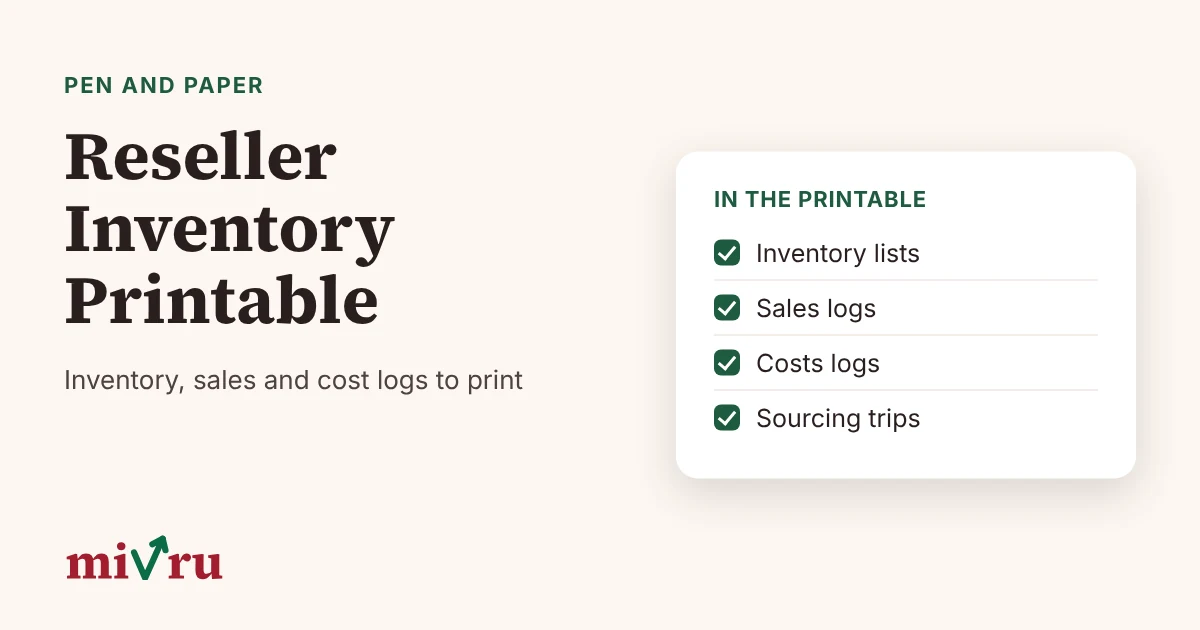
A reseller inventory printable is a set of paper pages for the three things every reseller needs to write down: what you bought, what you sold and what it all cost. Print the pages, keep them in a folder and fill them in by hand, at a flea market, on the packing table or on the couch.
This guide goes through the pages one by one, with a made-up example so you can see what a line looks like. A free one-page sales log is included.
Why use paper at all
A spreadsheet adds up for you, but paper has its own uses. It needs no signal at an estate sale, it does not run out of battery, and it is fast: you write a line in ten seconds. Many resellers write on paper in the field and type the lines into a spreadsheet at the end of the week. Others stay on paper all year, which is a fine way to keep records as long as they are complete.
The IRS says that good records help a business show whether it is improving and which products sell, and that you should record expenses when they happen so you do not forget them. A page you can fill in on the spot helps with that.
The pages, one by one
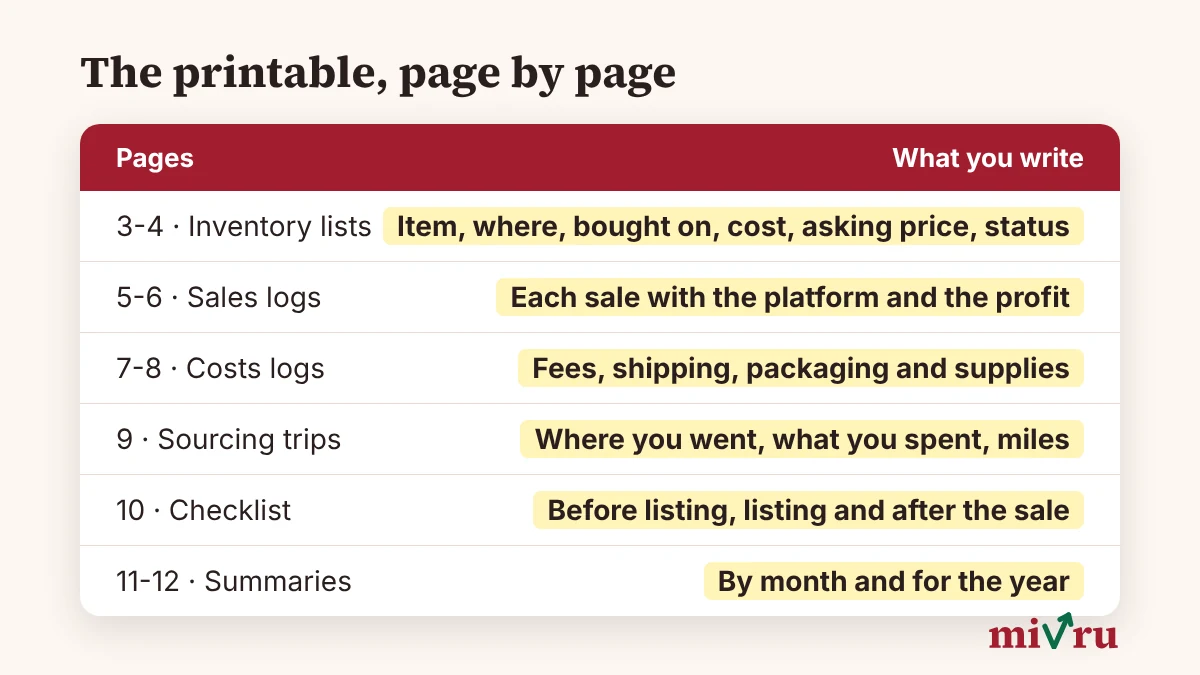
Inventory list (two pages)
One line for each item you buy: the item, where it is stored, the date bought, what it cost, the asking price and a status. Write Listed when it goes up for sale and Sold when it goes. Putting a bin or shelf number in the where column saves a search later.
Example: A pair of leather boots goes on the list as: Leather boots, Bin 4, bought Oct 2, cost $16, asking $58, Listed. When it sells, the status changes to Sold.
Sales log (two pages)
One line per sale: the date, the item, the platform, what it sold for, what it cost you and the profit. There is a total at the bottom, and a month box at the top so each month has its own pages. Write refunds on their own line.
Costs log (two pages)
One line per cost: the date, the category, the vendor, what it was for and the amount. Categories are the same ones you would use in a spreadsheet: item cost, platform fees, shipping, packaging, supplies, mileage, returns and other. Fees and postage are easy to forget, so write them when you ship.
Sourcing trips
One line for each trip: the date, where you went, how many items you bought, what you spent and the miles driven. It shows which places are worth the drive.
Listing and shipping checklist
A tick list in four parts: before listing, listing, after the sale and end of month. It reminds you to measure and photograph an item, state flaws honestly, change the status and file the receipt.
Monthly and yearly summary
A grid with a column for each month and rows for sales, item cost, fees and shipping, supplies and packaging, other costs and profit. The yearly page has boxes for totals, the best platform and questions for a tax professional.
A worked example
Here is one made-up sale, so you can see how a line works.
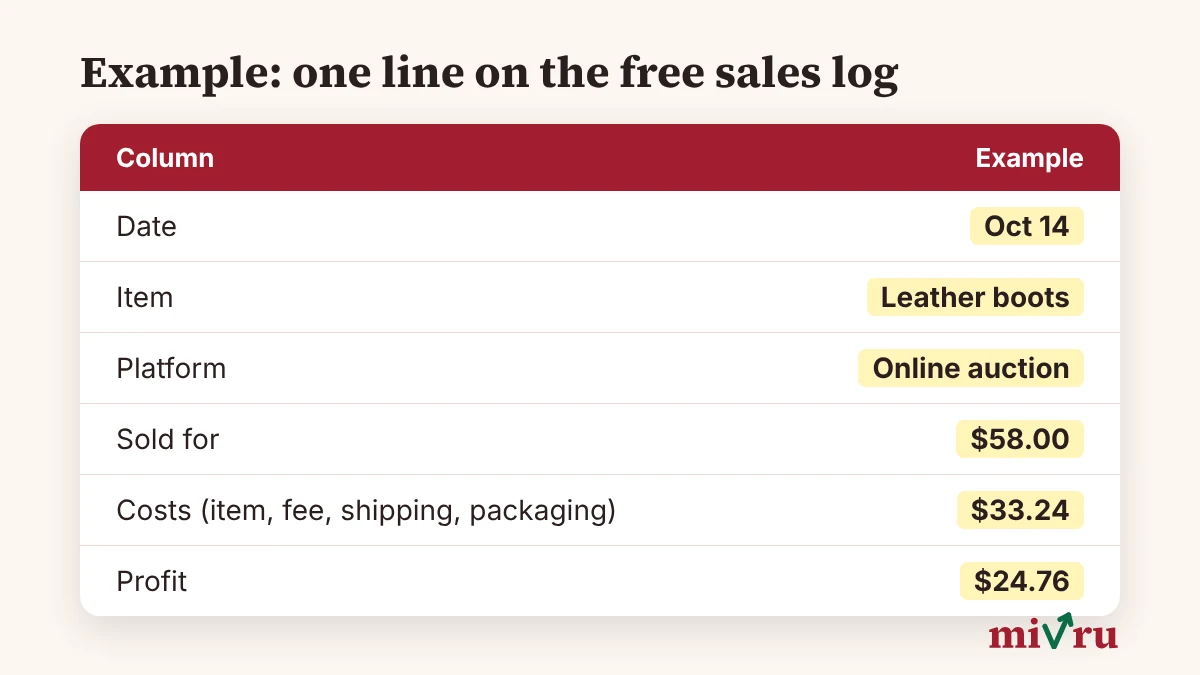
A pair of leather boots sold on an online auction site for $58.00. The reseller paid $16.00 for them. The platform fee was 13%, which is $7.54. Shipping was $8.20 and packaging $1.50. All together the costs were $33.24, so the profit is $24.76, a margin of 43%.
Example: $58.00 - $16.00 - $7.54 - $8.20 - $1.50 = $24.76. Profit divided by the sale price is $24.76 / $58.00 = 43%.
On the free one-page log the Costs column holds all of these together, and the paid printable splits out the item cost. The 13% fee is a made-up number for the example. Fees differ by site and by item, so use the figure from your own statements.
How to use the printable each week
- At each sourcing stop, add a line to the inventory list and write the cost on the spot.
- When you list, change the status to Listed.
- When something sells, add a line to the sales log with the date, the platform and the amount.
- When you ship, add the fee, postage and packaging to the costs log.
- On Sunday, spend ten minutes adding up the week and tick the checklist.
At the end of the month, fill in the monthly summary and look at which platform and which items earned the most.
Color or black and white
The printable is in two versions: color for a nice-looking binder and black and white to save ink. They have the same pages. Print on US Letter paper, and put the pages in a binder with a pocket for receipts. Write the page number on the receipt envelope so each cost can be checked later.
Keeping the records
The IRS lists gross receipts, purchases and expenses as separate kinds of business records and gives examples of what supports each one, such as invoices, receipts and account statements. Paper logs do not replace those. They make them easier to find. How long to keep them and what you must report depend on where you live, so ask a tax professional.
When paper is not enough
Paper does not add up for you and does not compare platforms. If you want that, a spreadsheet does the adding. Read our guide to a reseller inventory spreadsheet to see what goes in one, or build one in Excel or Google Sheets. To see a filled-in tracker, read the reseller inventory spreadsheet example. For other side income on paper, our printable side hustle tracker has a similar set of pages. This is general information, not tax or financial advice.
Want the printable and the spreadsheet?
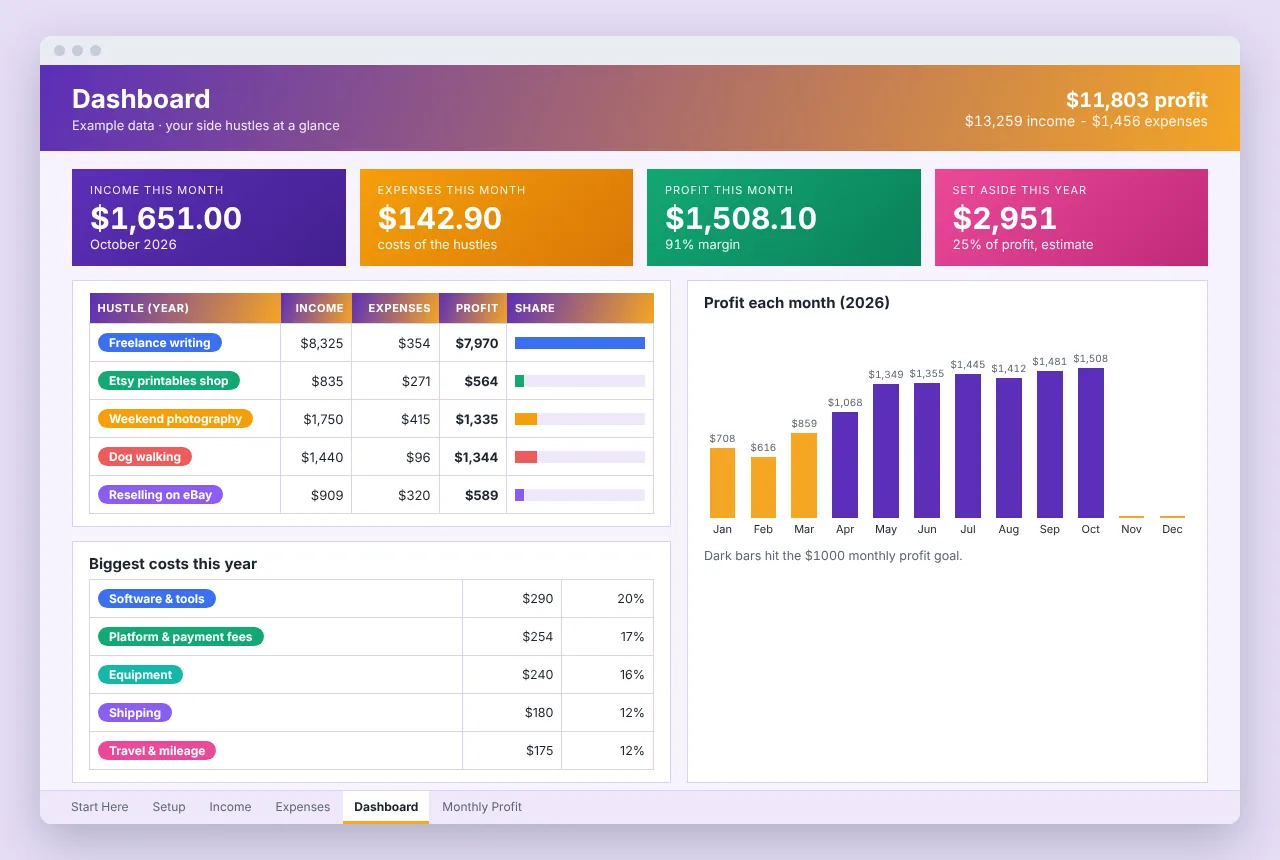
The Mivru Reseller Inventory & Profit Tracker includes a 13-page printable in color and in black and white, plus the spreadsheet in five color themes for Excel and Google Sheets. The spreadsheet has inventory, sales and costs logs, a dashboard with a month picker, profit by platform and a stock sheet. See the Reseller Inventory & Profit Tracker.
Frequently asked questions
What is a reseller inventory printable?
A set of paper pages you fill in by hand: an inventory list, a sales log, a costs log and a monthly summary. You print them at home and keep them in a folder or binder.
What should a reseller write on the inventory list?
The item, where it is stored, the date bought, what it cost, the asking price and a status of listed or sold. A storage spot such as a bin number saves time when an item sells.
How do I work out profit on paper?
Subtract the item cost, platform fee, shipping and packaging from the sale price. Write the result in the profit column, and add up the column at the end of the month.
Is a printable better than a spreadsheet?
Paper is quick at a sourcing stop and needs no battery. A spreadsheet adds up for you and shows profit by platform. Many resellers use paper in the field and type it into a spreadsheet later.
Is there a free reseller printable?
Yes. Our free reseller sales log is a one-page US Letter PDF. Enter your email on its page to get it.