Landlord Rental Property Excel Spreadsheet Free: Start
A landlord rental property Excel spreadsheet free starter: the sheets to make, the columns to use and when to move from a simple sheet to a full tracker.
A landlord rental property Excel spreadsheet does not have to be fancy. Three sheets, a property column and a few formulas will tell you what each rental earns, where the money goes and which months are tight. This guide gives you a free starter plan: the sheets to make, the columns to use and when it is time for something bigger. It is general information, not tax or legal advice.
The numbers are made up. Start with the free rent collection log if you prefer paper. For a worked example, see the rental spreadsheet examples.
The three sheets
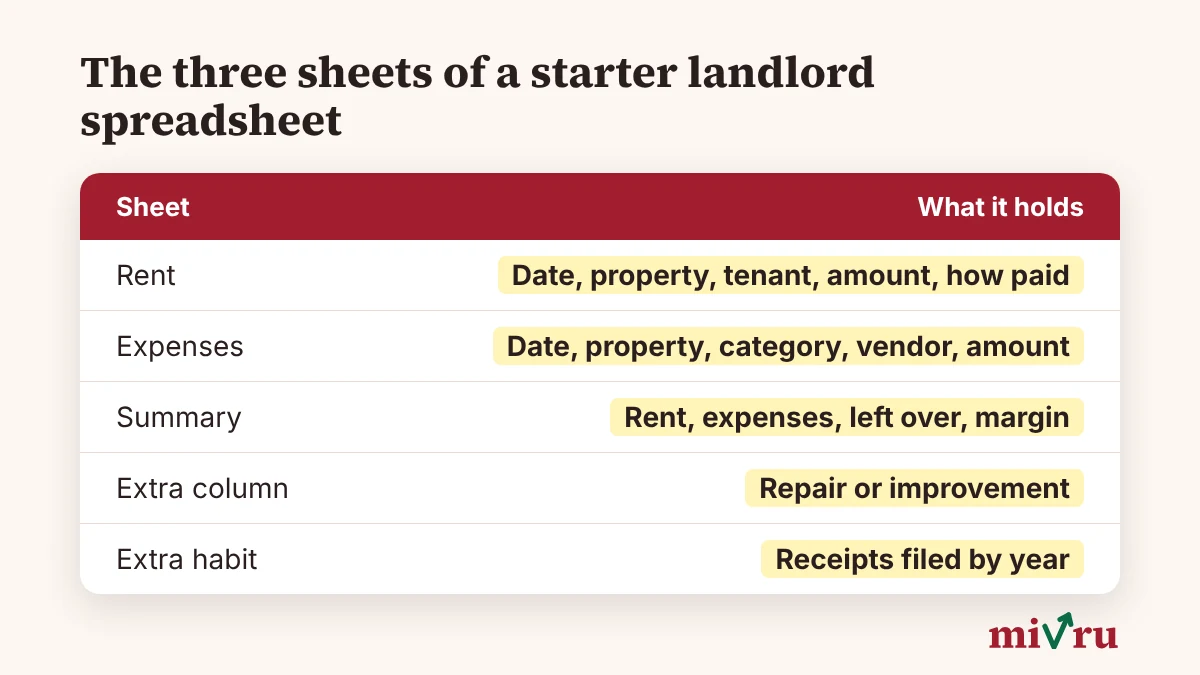
1. Rent. One row for each payment: date, property, tenant, amount, paid by, notes.
2. Expenses. One row for each cost: date, property, category, vendor, amount, notes.
3. Summary. Per property: rent received, expenses, what is left over and the margin.
Make the Rent sheet
Type the headings in row 1 and format the date and amount columns. Add a drop-down for the property. Log payments as they arrive. Write late fees on their own lines and keep security deposits out of this sheet. The IRS explains in Publication 527 that you generally include all amounts received as rent, including advance rent in the year you receive it, but that a deposit you plan to return is not income when you receive it.
Make the Expenses sheet
Use a short list of categories you keep the same every year: mortgage interest, property tax, insurance, HOA fees, utilities, repairs, cleaning and maintenance, advertising, legal and professional, management fees, travel and other. These match the kinds of rental expenses the IRS lists in Publication 527. Add a column for "repair or improvement", because the IRS says to keep separate records of repair costs and improvement costs.
Make the Summary sheet
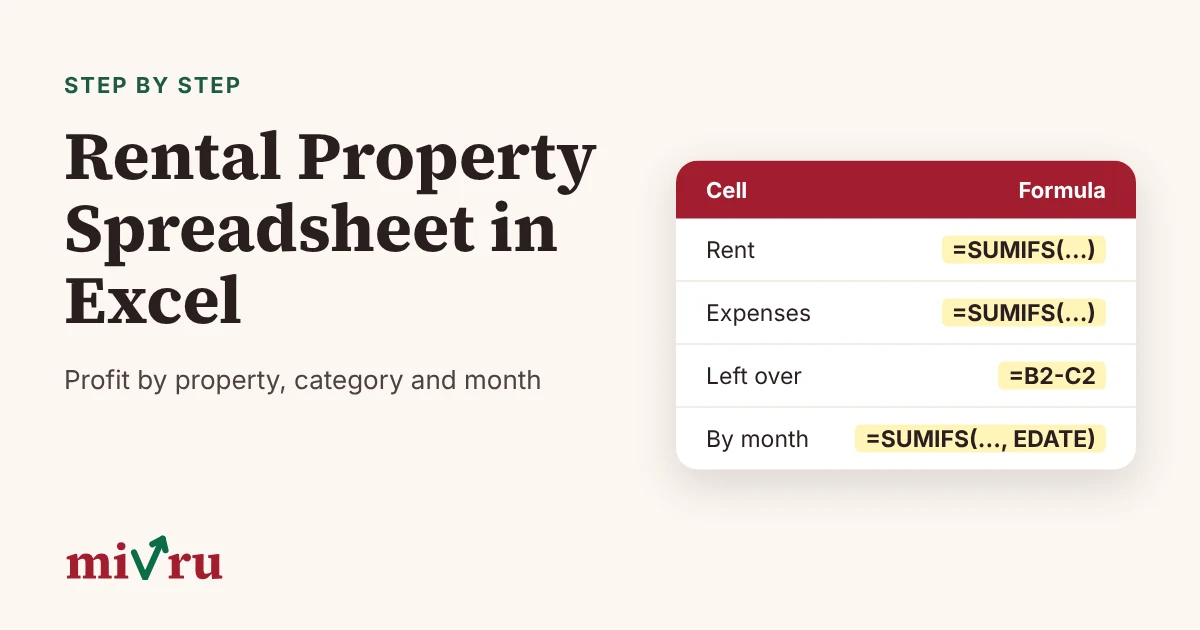
List the properties and add these formulas:
| What | Formula |
|---|---|
| Rent received | =SUMIFS(Rent!$D:$D,Rent!$B:$B,A2) |
| Expenses | =SUMIFS(Expenses!$E:$E,Expenses!$B:$B,A2) |
| Left over | =B2-C2 |
| Margin | =IF(B2>0,D2/B2,0) |
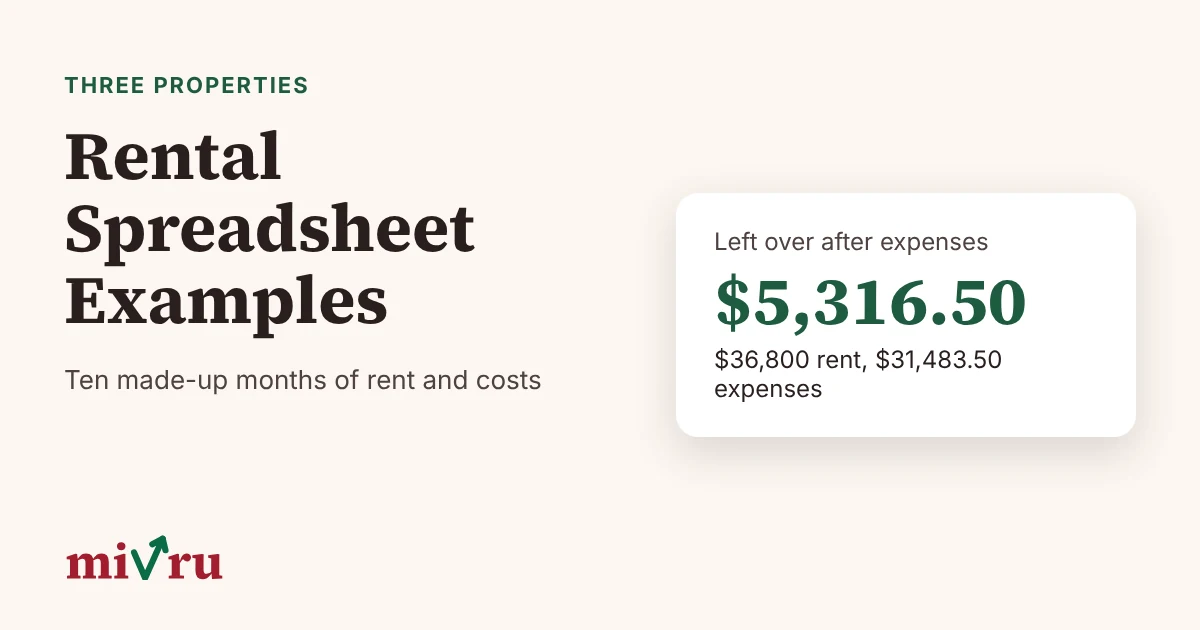
SUMIFS adds the amounts where the property matches. In the made-up example, rent of $36,800 minus expenses of $31,483.50 leaves $5,316.50, a 14% margin, and one of the three properties is in the red.
Example: Duplex A: $11,500 - $8,560 = $2,940. Duplex B: $8,800 - $9,025 = -$225. Condo: $16,500 - $13,898.50 = $2,601.50. Seeing that duplex B is the problem is the whole point of splitting by property.
What a starter sheet leaves out
A simple spreadsheet will not show a month-by-month view without extra formulas, will not flag a property in the red, and will not give you a dashboard. It also will not warn you when you have forgotten to log something. That is when people move to a fuller tracker, or build the extra sheets themselves: our rental property spreadsheet template guide shows how.
Habits that matter more than the template
- Log the day it happens. Rent and bills.
- Save every receipt and write where it is.
- Keep a separate account for the rental.
- Keep the same categories every year.
- Review monthly against your bank statement.
- Ask a tax professional about mortgage principal, improvements and depreciation.
Paper first, spreadsheet second
Many new landlords start with paper. Our rent collection log template guide shows how. When you are ready to see totals, copy the numbers into the three sheets above. For the records you will need at tax time, read rental property spreadsheet for taxes, and for everyday spending the guide on how to track expenses. This is general information, not tax or legal advice.
The three properties in a table
| Property | Rent | Expenses | Left over | Margin |
|---|---|---|---|---|
| Duplex A | $11,500.00 | $8,560.00 | $2,940.00 | 26% |
| Duplex B | $8,800.00 | $9,025.00 | -$225.00 | -3% |
| Condo | $16,500.00 | $13,898.50 | $2,601.50 | 16% |
| Total | $36,800.00 | $31,483.50 | $5,316.50 | 14% |
The totals check: $11,500 + $8,800 + $16,500 = $36,800, and $8,560 + $9,025 + $13,898.50 = $31,483.50. Margin is the left-over amount divided by the rent, so duplex A is 2,940 / 11,500 = 26%.
If something does not work
- A property shows zero rent. The property name on the Rent sheet differs from the name on Summary. Use a drop-down.
- The margin shows an error. The IF in the formula returns zero when there is no rent, so check that the rent cell holds a number.
- The totals are lower than your bank statement. A payment or bill has not been logged. Compare the sheet with the statement line by line.
- A cost is in the wrong property. Filter the Expenses sheet by property and look for strays.
What to look at first
Sort the Summary by left-over, lowest first. The property at the top is the one to understand. In this example it is duplex B, where costs were higher than rent. Then open its Expenses rows and group them by category to see which cost is biggest.
A monthly routine for the sheet
- Add the rent that came in.
- Add the bills you paid, with the property.
- Look at the Summary and sort by left-over.
- Match the totals with your bank statement.
When to use a ready-made tracker
If you want drop-downs, a month picker, charts, a By Property sheet and a printable landlord log without building them, the Mivru Rental Property Income & Expense Tracker has all of that in five color themes for Excel and Google Sheets, with a 13-page printable. See the Rental Property Income & Expense Tracker.
Frequently asked questions
What is a simple landlord spreadsheet?
A rent sheet, an expense sheet and a summary that adds them up by property. Three sheets and a few SUMIFS formulas are enough to start.
How many properties can a simple spreadsheet handle?
One to four rentals work well with a property column and drop-downs. More than that is a good time for a fuller system.
What columns do I need?
For rent: date, property, tenant, amount, how paid. For expenses: date, property, category, vendor, amount, notes.
Is there a free printable log?
Yes. Mivru has a free one-page rent collection log. You get the link when you join the email list.
Does the spreadsheet do my taxes?
No. It organizes records. Ask a tax professional how to treat rent, expenses, improvements and depreciation.